

AI recreation or original photo?
Six photographs. Six recreations.
The differences up close.
An AI recreation can look remarkably like a photograph while changing the details that made the original yours. These six examples compare supplied photographs with new reference-guided AI versions. Look at the whole picture, then the fur, eyes, markings and background up close.
AI can be useful. We use it for ideas and creative artwork, and there are photographs where a careful edit helps. But when the picture is your own dog, child or someone you love, “looks sharper” is only one part of the decision. You also want to know whether it still looks like them.
The photograph. The recreation. A closer look.
Open an example, switch between the full composition and matched detail, or view either complete file at actual pixels. The detail crops are resized to a similar subject size; they are not labelled as 100% views. Exact pixel dimensions are shown with each file.
1. The playful photograph
The recreation keeps the playful pose and expression remarkably close. Look at the paw pads and claws, the eye reflection and the toy fibres: the small shapes are not identical. The grass is also less yellow in this output. It is a convincing new version of the scene, with reconstructed details.
Whole compositions. Detail focus: eye, muzzle, paw and toy fibres.
Original photo
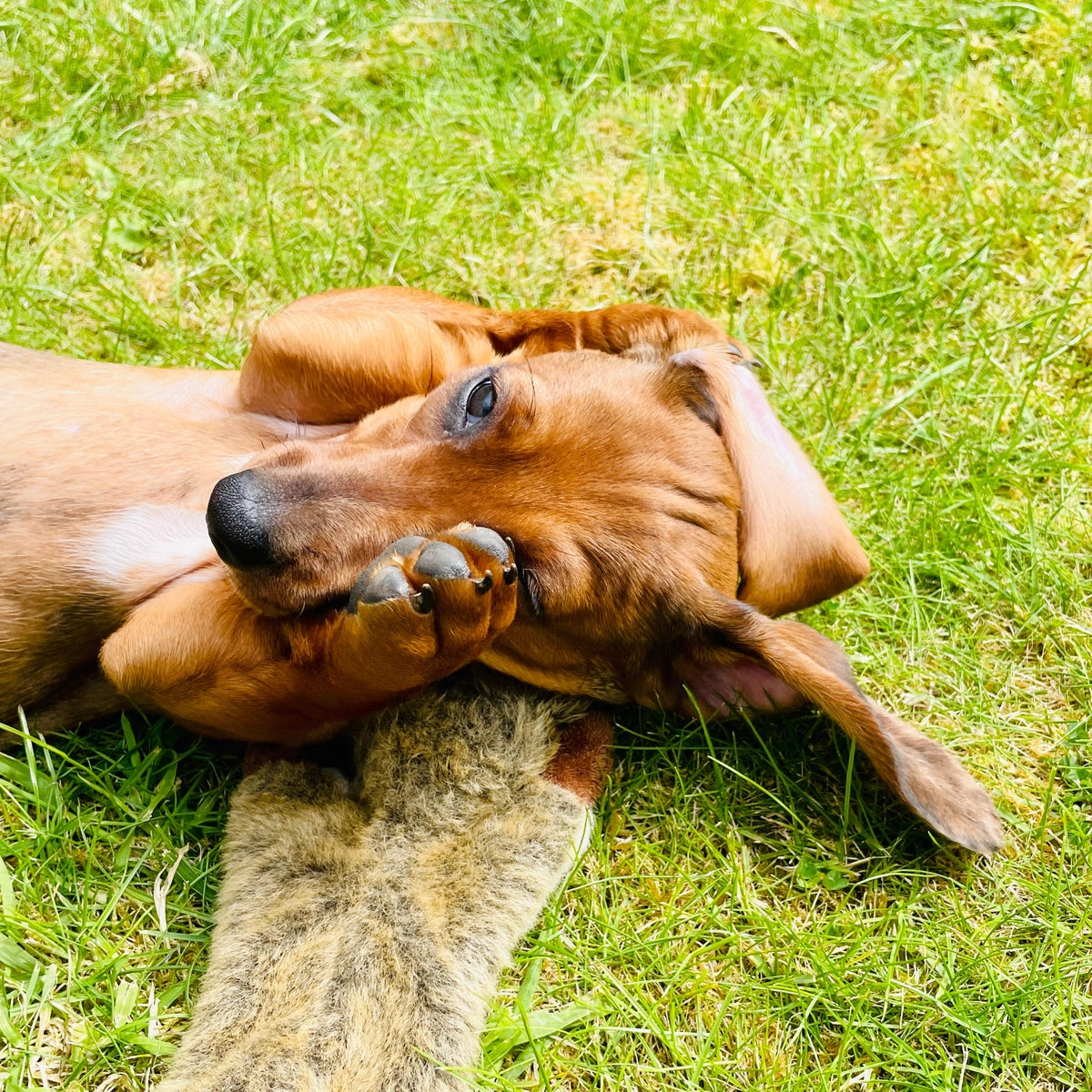
AI recreation
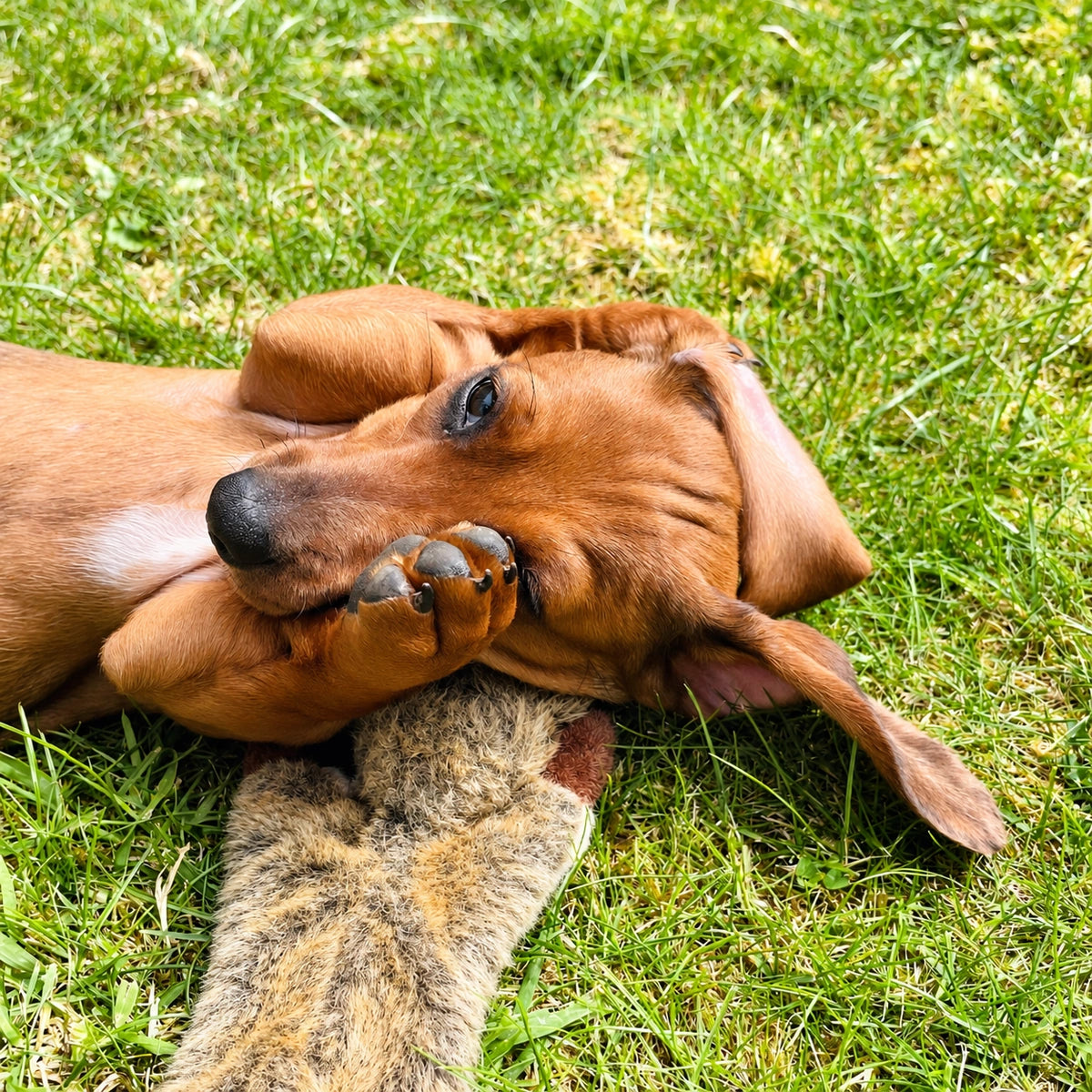
If this is your own pet, compare the features you recognise, not only how sharp the fur looks.
See and edit the prompt used for this recreation
The exact prompt used for example 1
This is the exact request used for this example. Attach your own reference if you adapt it.
2. The face in the grass
The resting pose and soft background work well in both versions. The AI forehead and cheek fur looks more evenly defined in individual strokes. Eye reflections, small eyelid contours and grass crossing the muzzle have changed. The recreation can look crisp without retaining the exact photographed detail.
Whole compositions. Detail focus: eyes, forehead, nose and crossing grass.
Original photo
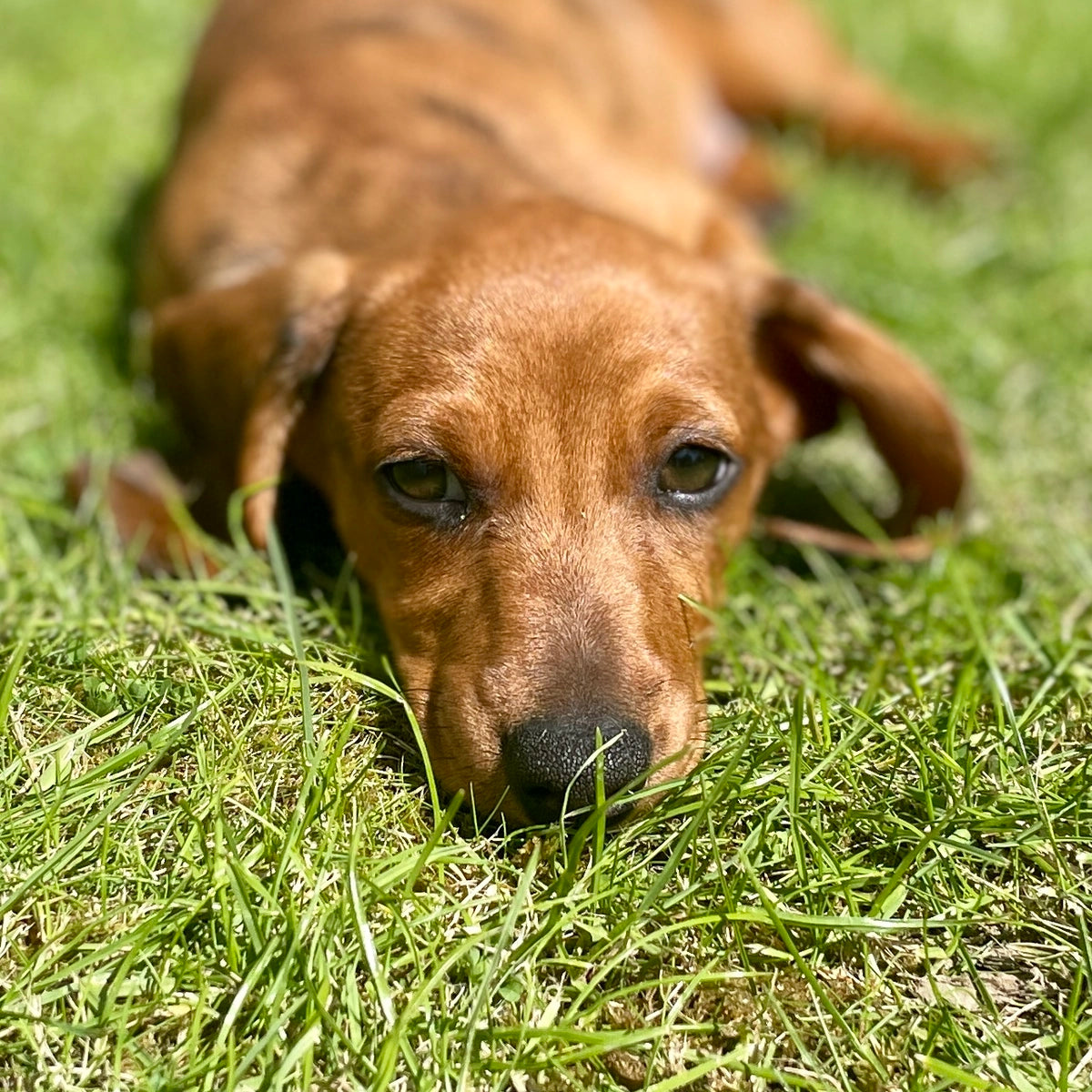
AI recreation
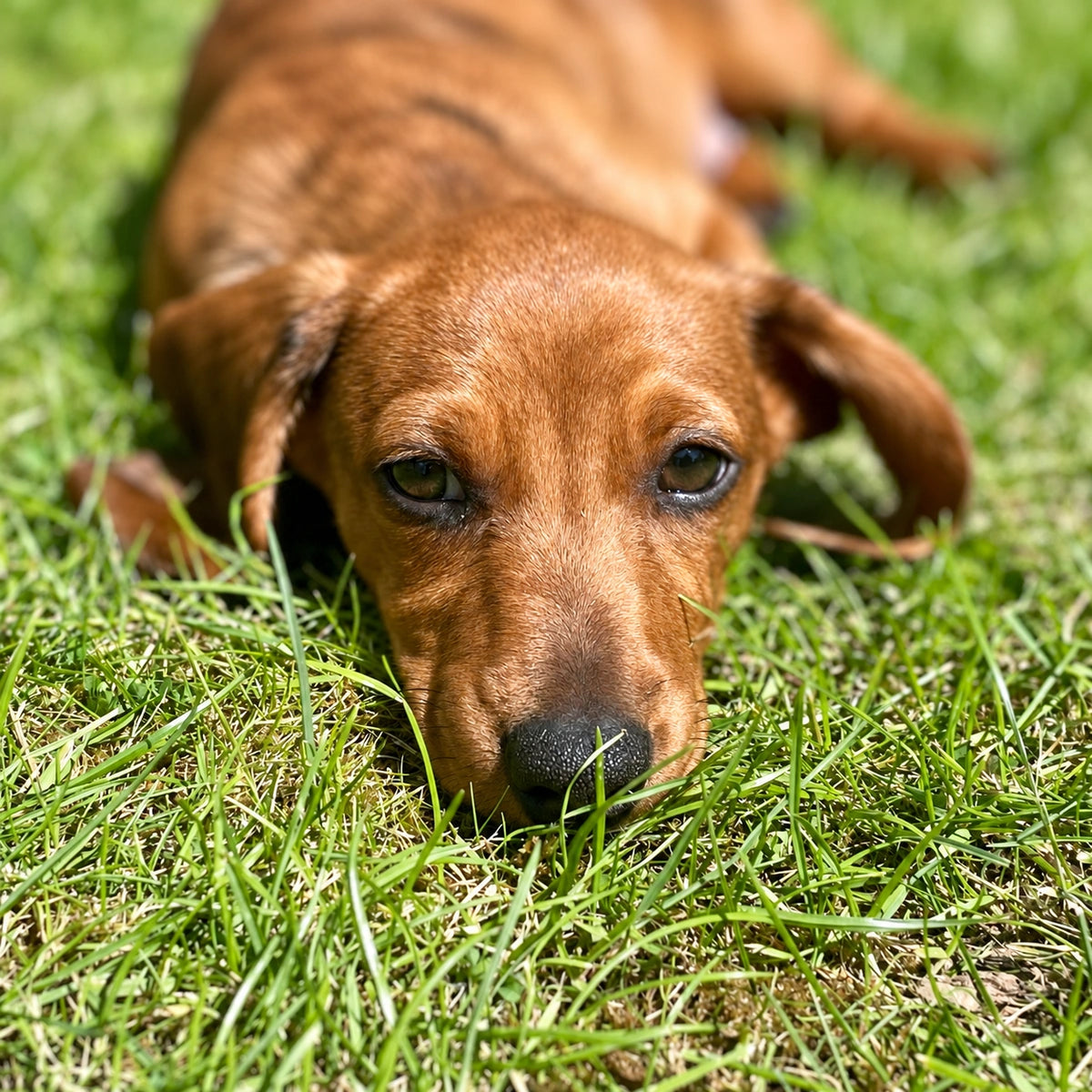
Follow a grass blade across the nose and look into both eyes. Those specific details make a better comparison than a general impression of sharpness.
See and edit the prompt used for this recreation
The exact prompt used for example 2
This is the exact request used for this example. Attach your own reference if you adapt it.
3. The tilted head
At a glance the pose, toy and setting are very similar. In the recreation, the visible eye reflection is more pronounced and fur forms more regular directional strokes. Individual grass strands and small facial contours differ. Whether you prefer that appearance is separate from whether the photograph has been preserved.
Whole compositions. Detail focus: eye reflections, muzzle and facial fur.
Original photo
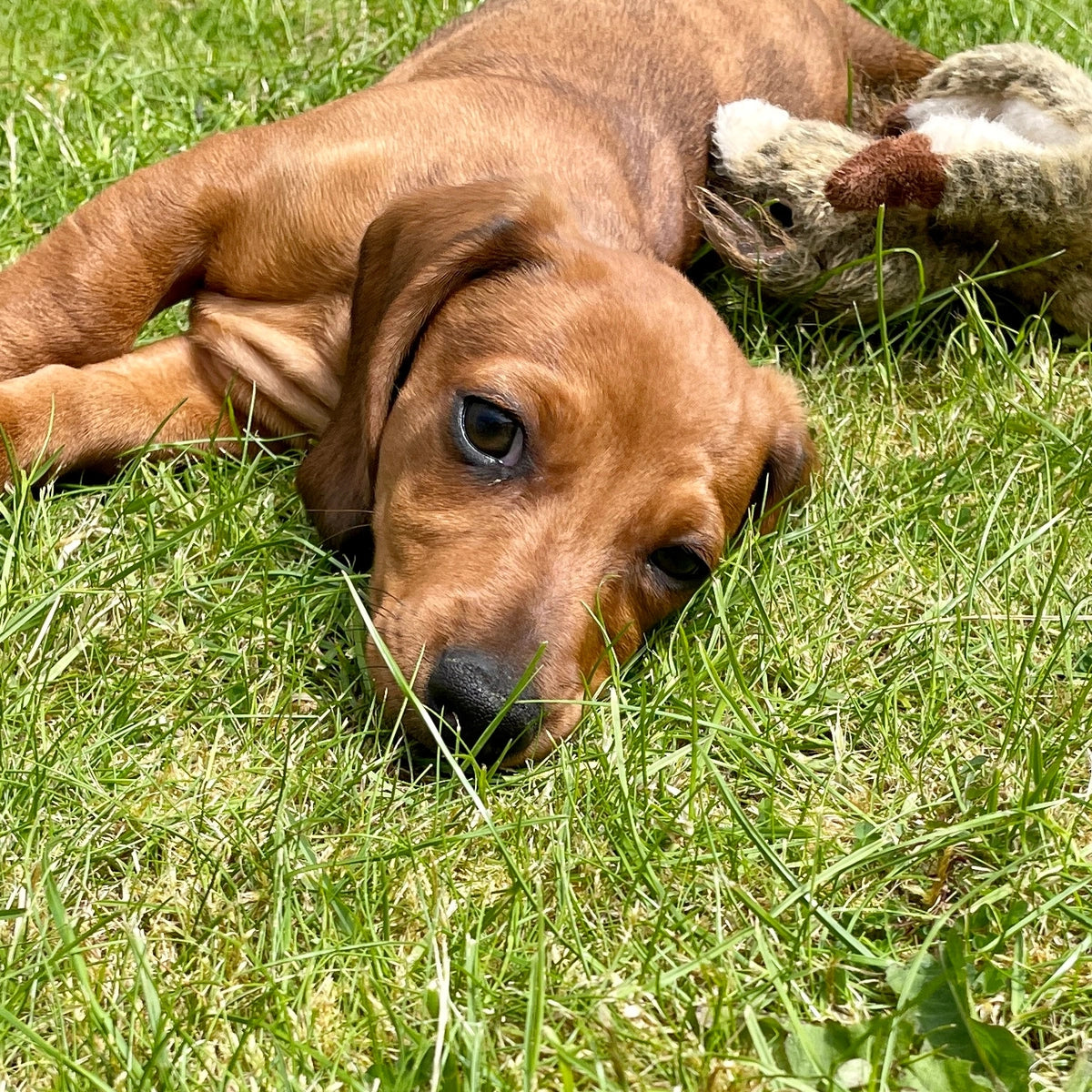
AI recreation
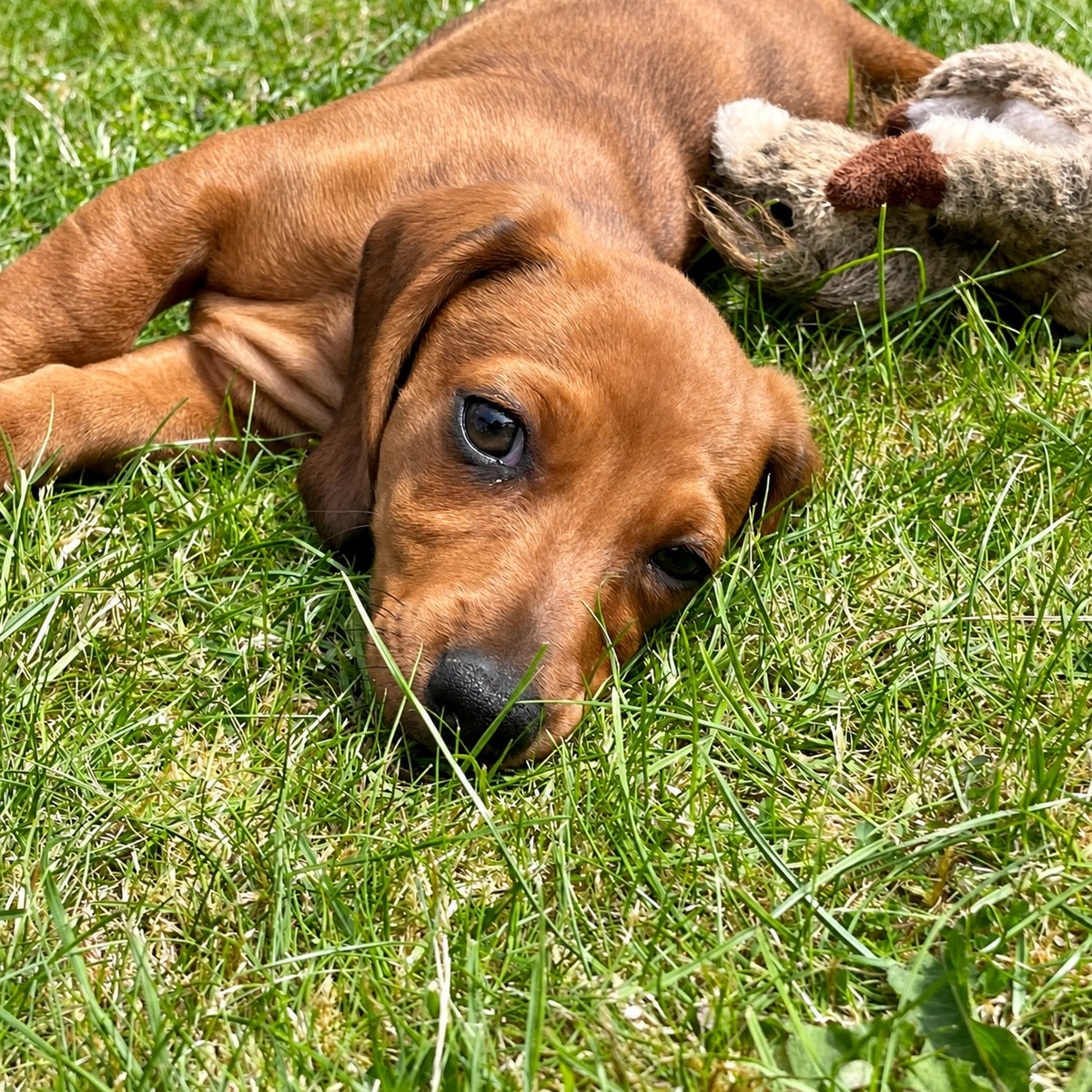
Compare the forehead, eyelid and muzzle together. A stronger catchlight is newly drawn content, not proof that the camera captured it.
See and edit the prompt used for this recreation
The exact prompt used for example 3
This is the exact request used for this example. Attach your own reference if you adapt it.
4. The sleeping scene
The overlapping sleeping puppies and relaxed mood remain recognisable, and the nearer puppy is still softer. The recreation changes whiskers, small paw shapes and the mottled belly. Fur strands become more strongly defined, while the cream blanket takes on a more pronounced, pebbled appearance.
Whole compositions. Detail focus: chest fur, forepaw and mottled belly.
Original photo
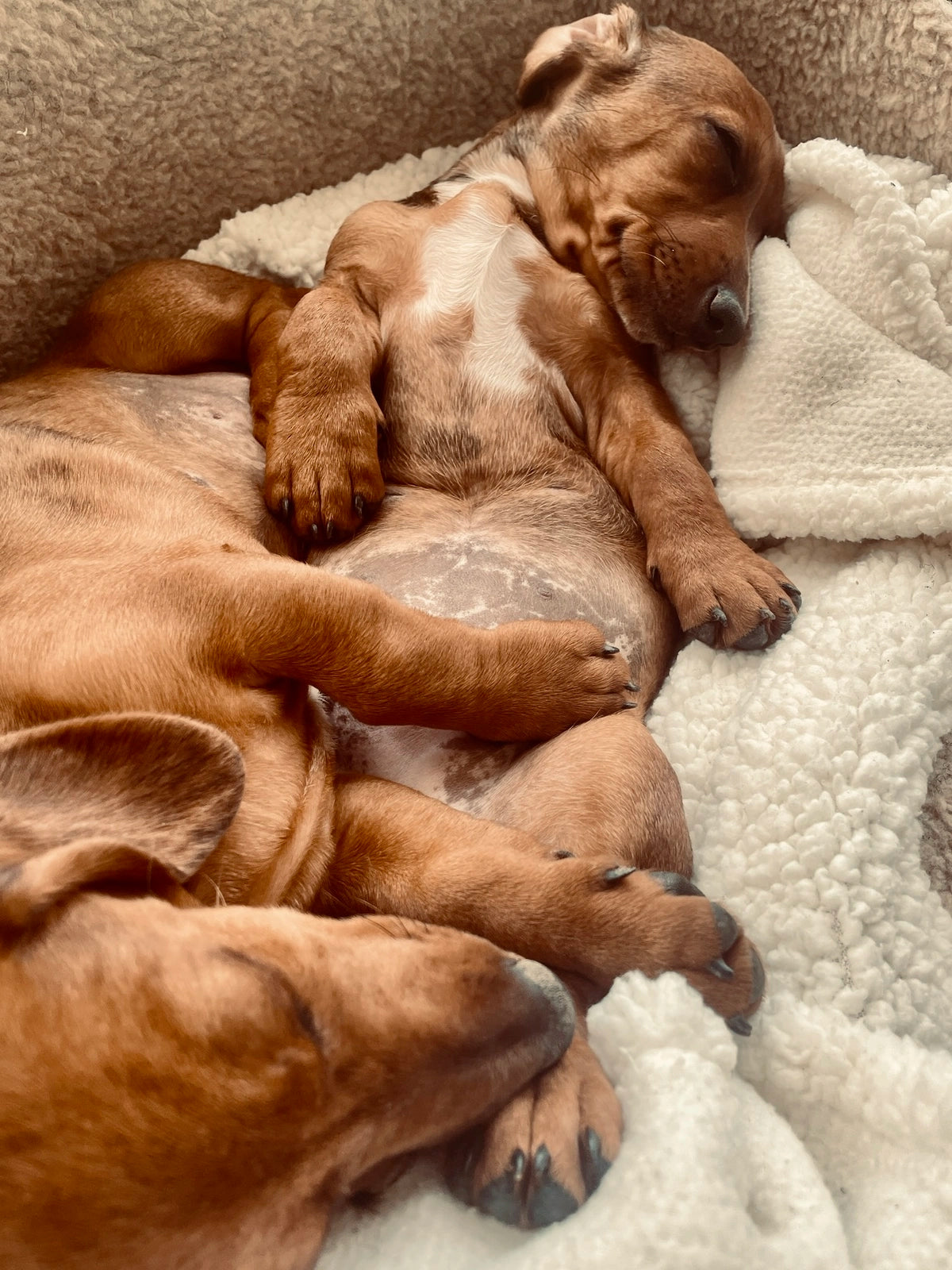
AI recreation
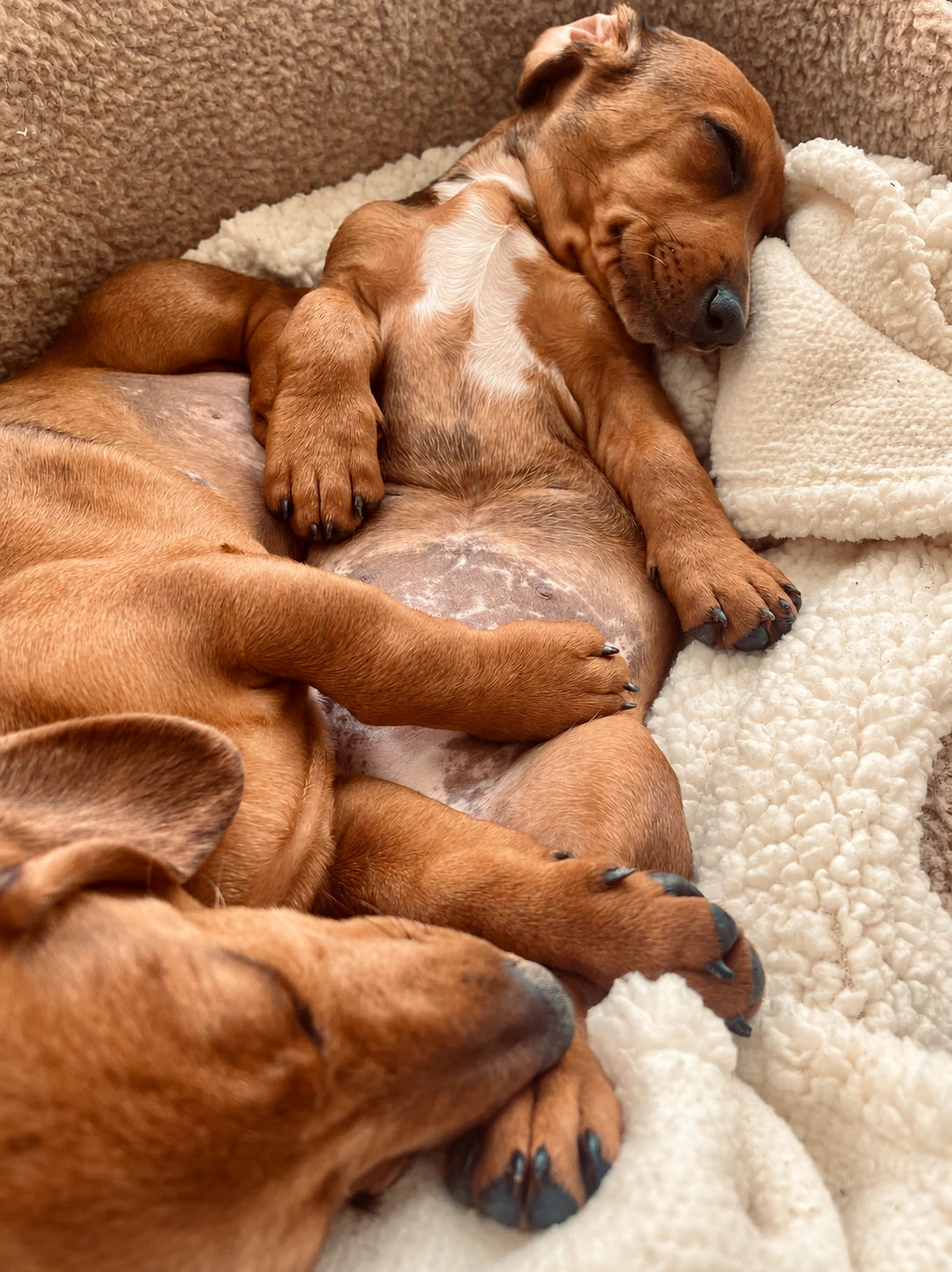
Look at the white chest boundary, the paw and the blanket. The changed blanket is part of this generated scene; it is not extra information recovered from the photograph.
See and edit the prompt used for this recreation
The exact prompt used for example 4
This is the exact request used for this example. Attach your own reference if you adapt it.
5. Asleep beside the blanket
The closed eyes, upturned nose and sunny, relaxed pose are convincingly retained. The white chest marking's fine outline and hair pattern differ. Whiskers are repositioned, nose detail is recreated and the rug curls and black fabric pattern become more prominent.
Whole compositions. Detail focus: nose, whiskers and white-chest boundary.
Original photo
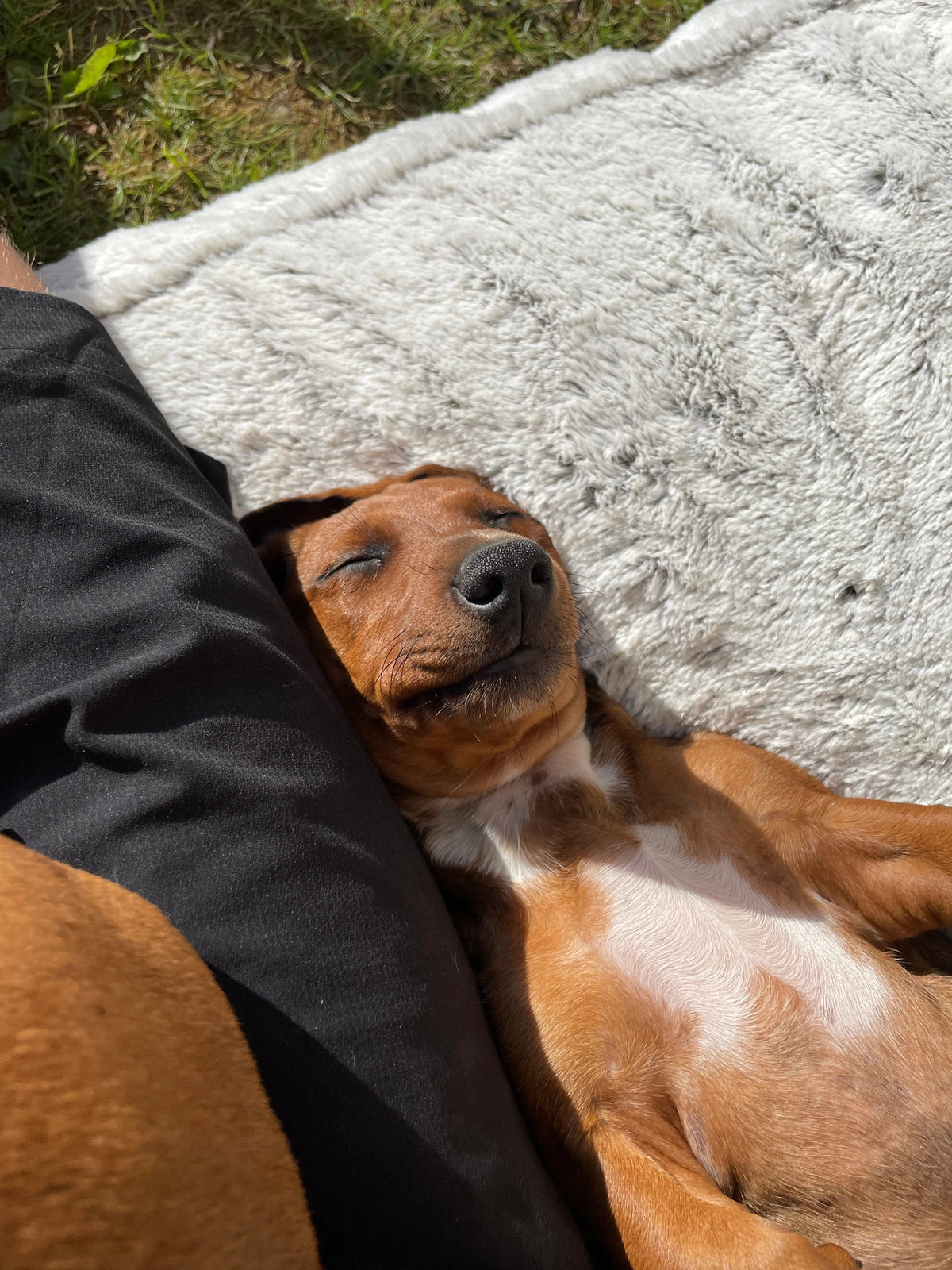
AI recreation
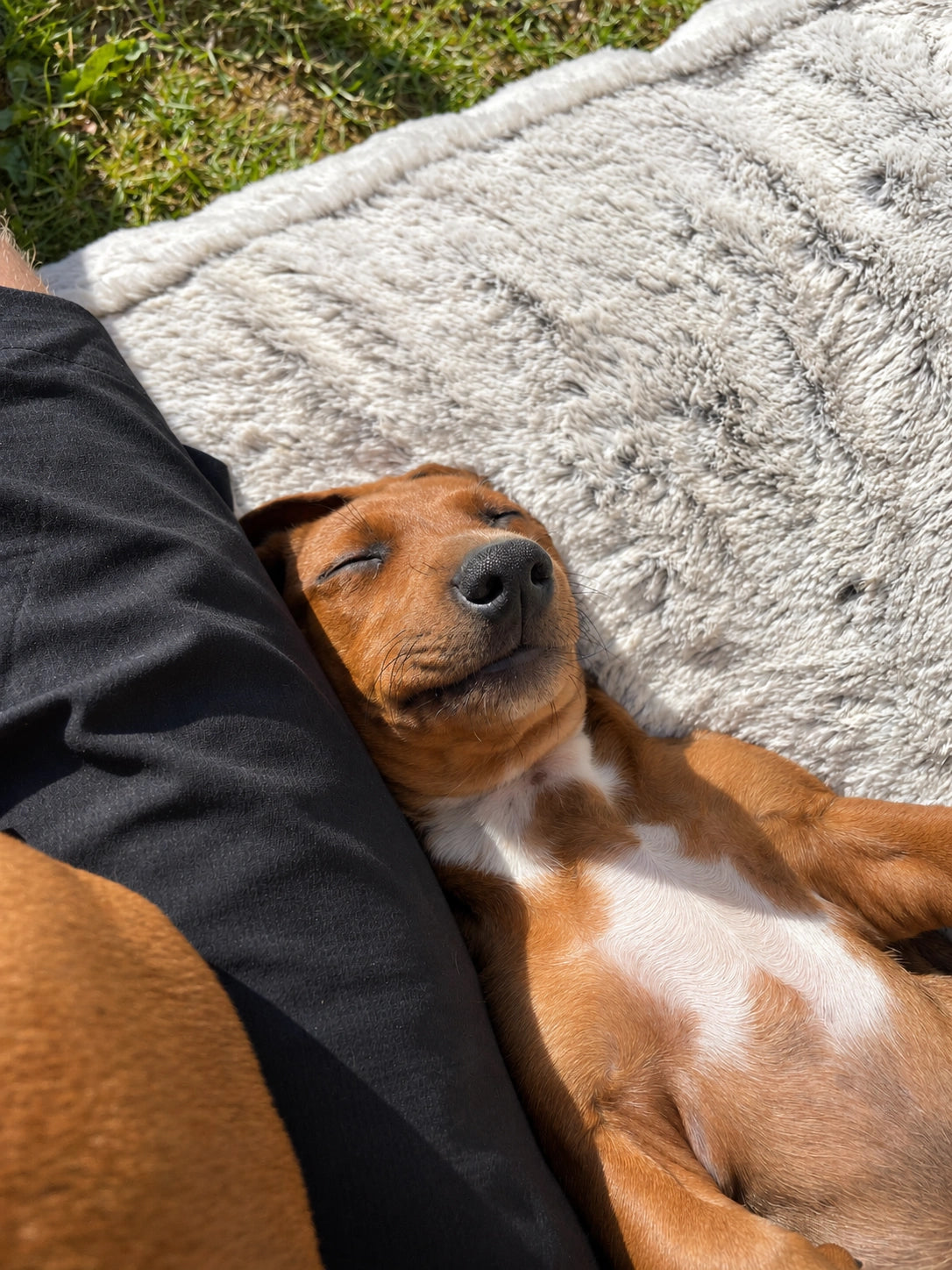
The original already has soft areas and phone-image processing. Compare recognisable shapes and markings rather than treating every smooth patch as an AI fault.
See and edit the prompt used for this recreation
The exact prompt used for example 5
This is the exact request used for this example. Attach your own reference if you adapt it.
6. Eyes open, paws up
The broad pose, folded ear, alert expression and raised paws stay close to the reference. Look closer at the eye reflections, eyelids, whiskers and individual claws. The chest and belly fur has a more regular flowing pattern, with small changes along the white marking.
Whole compositions. Detail focus: eye shape, muzzle and top of the chest marking.
Original photo
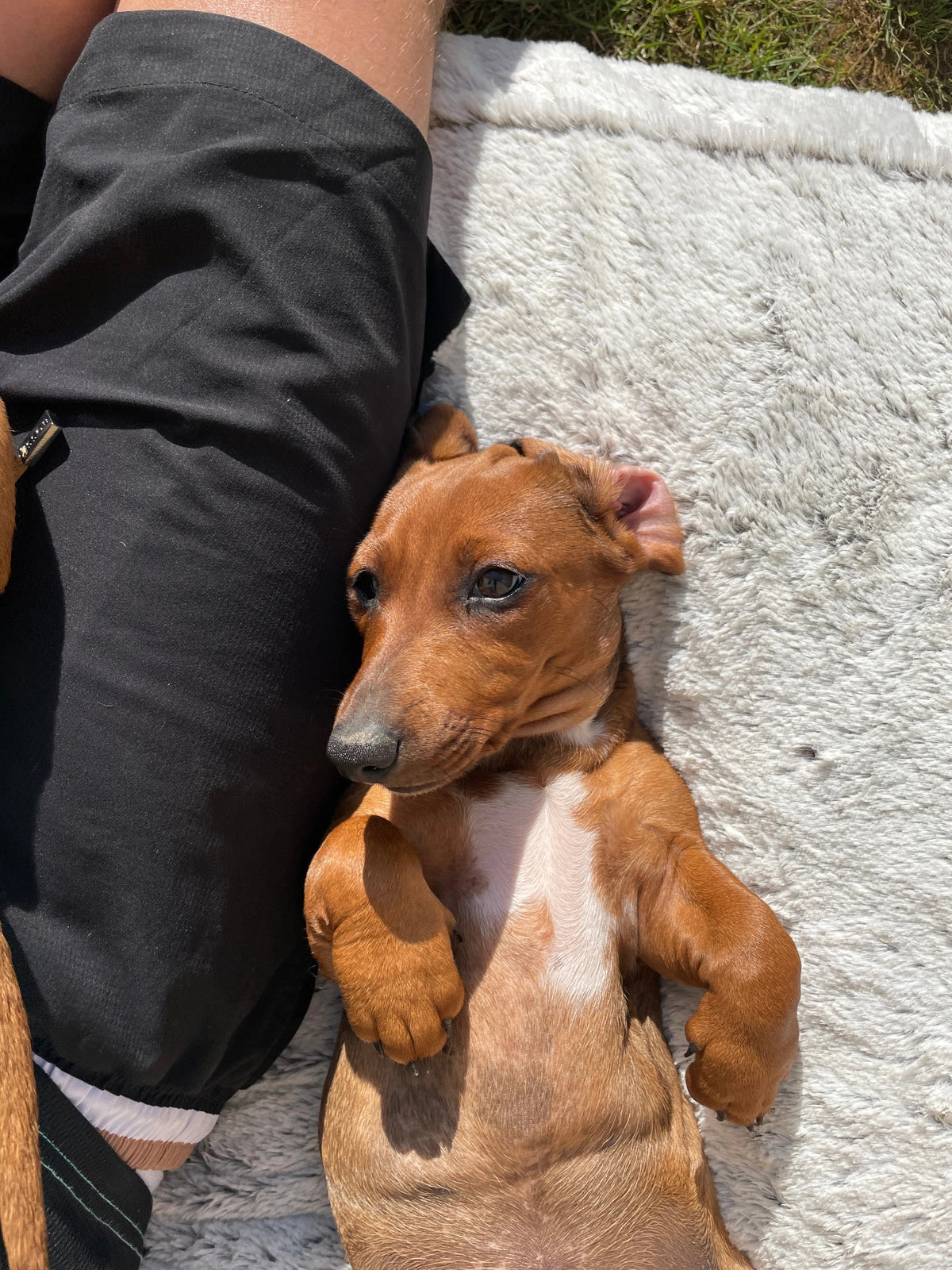
AI recreation
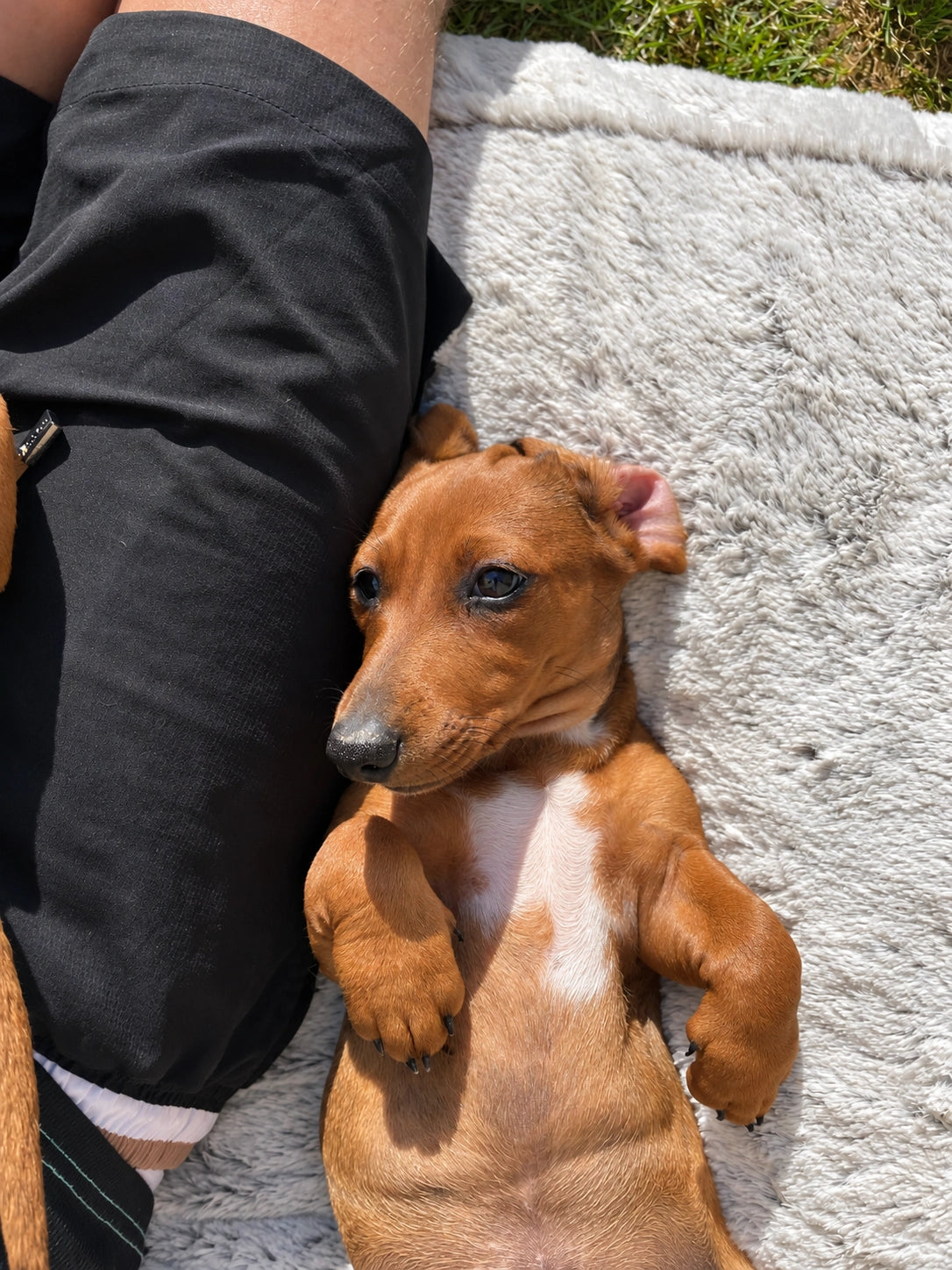
A pet can remain recognisable while its expression and fine features have been reinterpreted. Decide whether those changes suit the picture you want to keep.
See and edit the prompt used for this recreation
The exact prompt used for example 6
This is the exact request used for this example. Attach your own reference if you adapt it.
What we asked AI to do.
We supplied each photograph as a reference and asked for a new, natural-looking reconstruction with the same scene, pose, colours and framing. We asked for realistic photographic detail. We did not request strange fur, a painted effect or deliberate imperfections.
These are the first returned recreations from six requests made on 24 October 2026. We have included every result. The exact request for each example is available above, with editable text, Copy and an Open ChatGPT link. The image tool did not expose a model/version identifier, so we have not invented one.
This is a recreation comparison, not an enhancement test. It does not compare every AI tool or prove how a particular sharpening, masking or upscaling tool behaves. Those are different tasks. OpenAI also documents consistency and precise composition as limitations of image generation; the visible examples here are our own observations.
All six source photographs and all seven photographs of Ivy's finished canvas are kept as supplied, with no colour-balance adjustment or retouching added by us. The page uses proportionally resized web previews. Detail mode and the full-file viewer load the corresponding source files. The AI outputs have not been deliberately degraded or given an extra texture overlay.
| Example | Source photograph, pixels | AI recreation, pixels |
|---|---|---|
| 1. The playful photograph | 2048 × 2048 | 1254 × 1254 |
| 2. The face in the grass | 1287 × 1287 | 1254 × 1254 |
| 3. The tilted head | 1455 × 1455 | 1254 × 1254 |
| 4. The sleeping scene | 1448 × 1931 | 1085 × 1449 |
| 5. Asleep beside the blanket | 1536 × 2048 | 1086 × 1448 |
| 6. Eyes open, paws up | 1536 × 2048 | 1086 × 1448 |
Every AI output in this set has fewer pixels than its reference file. That makes this especially useful: a recreation can look crisp without being a larger file or a faithful record of the original detail. For a size calculation, see how large you can print a phone photograph.
The texture is worth checking. So is the likeness.
Some of these recreations give the fur a more regular, flowing pattern. Individual hairs, whiskers, reflections and blanket fibres have been reconstructed. You may like that finish, particularly for a deliberately creative portrait. It still deserves a closer look when you want to preserve a specific photograph.
It would be inaccurate to say that every AI picture has the same odd texture. Several of these results look convincing. The original photographs also contain bright highlights, soft focus and phone-image processing. Texture alone is not proof of how an unknown picture was made; here, we know the origin because we made the comparison.
- Start with recognition. Compare the expression, eye shape, muzzle or facial proportions and distinctive markings.
- Look for specific changes. Follow a whisker, a grass blade or the edge of a white chest patch between the two files.
- Judge the whole picture too. A tiny difference at heavy screen magnification may matter less from your normal viewing distance. A changed expression can matter immediately.
- Keep the original. A result you dislike is a reason to return to the source, not to lose it beneath a chain of repeated recreations.
Recreating a photograph is different from editing it.
| What you want | A useful starting point | What to check |
|---|---|---|
| A modest colour or exposure correction | A reversible adjustment with the original kept underneath or separately. | Natural skin or fur colours and highlight/shadow detail. |
| Remove a distracting background | A selection and layer mask can hide the background while keeping the source available. | Fine hairs, whiskers, edges and natural gaps. |
| Add a new background or extend the scene | A targeted generative edit around a protected subject. | New scenery and any unintended changes to the existing subject. |
| A creative pet portrait or a newly imagined scene | A clearly described AI recreation, illustration or artistic interpretation. | Likeness where wanted, anatomy, style, composition and intended print size. |
Adobe documents adjustment layers as a way to make reversible colour and tonal changes, and background removal as a transparency or masked-layer workflow. That is a different decision from asking an image generator to redraw a complete scene. Even an AI-assisted subject selection does not automatically mean the whole subject has been regenerated.
For a difficult background, our background removal and replacement guide explains the choices. If the aim is clearer detail, start with can AI improve a poor-quality photograph? and the more specific sharpening and likeness guide. A prompt that says “keep it the same” is an instruction, not a guarantee of unchanged pixels.
Ivy. A real photograph, on my own canvas.
This is personal for me. I printed the photograph from the first comparison for my own home. It is Ivy's expression and that moment I wanted to keep. A more polished-looking recreation would be a different choice.
The hero and the photographs below show that finished canvas: the front, wrapped sides, corner, timber frame and hanging fitting. They are photographs of the real print, not generated room mockups.
The weave you can see here is the physical canvas. The camera angle and light affect how it appears. That is separate from texture drawn inside an AI image. These photographs do not show the six new AI versions printed, and they are not a side-by-side physical print test.
If you like seeing the real object before buying, our canvas prints page shows more of the prints we make. For choosing a surface, see pet photographs on canvas or poster.
Useful prompts for your own photograph.
Open ChatGPT, attach your original when appropriate and paste your edited prompt. These controls copy text only; they do not send photographs or prompts automatically. Available image tools and limits can vary.
Ask for the smallest useful change
Attach the original. This asks for advice before anything is edited.
Request a background change with clear limits
Attach the original and choose one background task. Inspect the subject afterwards; instructions to preserve it are not a guarantee.
Compare the original and an AI result
Attach both files and label them clearly. Use this alongside your own close inspection.
Before choosing the file to print.
- Decide what you are keeping. Is it the exact photographed moment, or an intentional creative interpretation?
- Compare the original and the result. Inspect faces, pet markings, edges and meaningful details before being persuaded by apparent sharpness.
- Check the downloaded file. Use its actual pixel dimensions after any crop. Changing a DPI label is not extra image detail.
- Preview the print shape and sides. Keep important faces, ears and wording on the visible front. Our AI extension and canvas-wrap guide explains when extra background is useful.
- Ask if you are unsure. See is my photograph good enough for canvas?, or contact us about the file you plan to use.
For an older damaged photograph, our restoration guide covers another useful task, with its own limits. Choose the method for the problem you actually have.
AI photograph comparison questions.
Does AI always create strange texture?
No. It depends on the task, image, tool and result. In these examples, some fur and material patterns are reconstructed more regularly. That is an observation about these outputs, not a universal rule.
Does a sharper-looking result contain more genuine detail?
Not necessarily. A recreation can introduce convincing new hairs or reflections. Check what matches the source and inspect the actual file dimensions.
Will asking AI to preserve my pet guarantee the same likeness?
No. Clear instructions help define the task, but you still need to compare the result. Return to the original if an important feature has changed.
Can I remove a background without recreating the dog?
A selection and mask can separate the background while keeping the original subject image available. Refine the edges carefully. A new generated background and a whole-scene recreation are different operations.
Can an AI recreation make a good canvas print?
It can be a suitable creative picture when you like the result and the file works at the chosen size. These digital examples do not prove a physical print result for every generated version.
Is the texture in Ivy's canvas photograph an AI effect?
The printed example uses the first supplied photograph. The visible physical weave, camera lighting and printed image must be considered separately from generated texture in the digital comparison.
Found this guide useful?
Add Your Image 2 Canvas as a preferred source on Google.

3 for 2 · Mix and match
Canvas prints.
Quality you can see.
Printed and finished by our family team in West Yorkshire.
From £14.99, including free standard UK delivery.
Create your canvasMix qualifying physical Canvas and Poster prints. Cheapest qualifying base print free; upgrades and extras remain payable. Downloads excluded. Delivery exclusions apply.