

ONE PHOTOGRAPH. A COMPLETE SET.
Meet our split canvas creator: give one photograph a little more room
Some photographs are made for a bigger part of the room. A view from a favourite walk. The beach you went back to every morning on holiday. A quiet bit of woodland with colours you would happily live with all year.
You can now turn that one photograph into a complete split canvas set with our online creator. Choose your layout and size, position the picture across the panels, then choose the finish. We make the canvases in our West Yorkshire workshop.
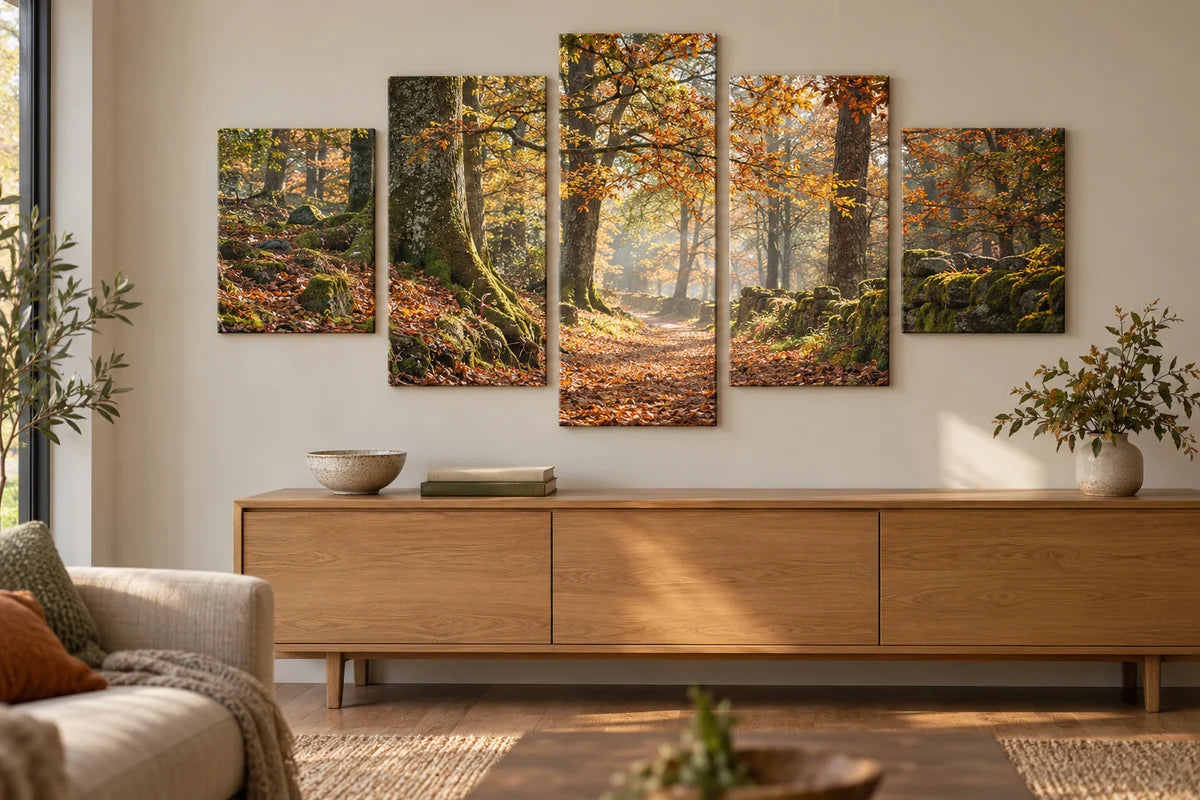
Start with a photograph you want to keep looking at
You do not need a picture taken especially for a split canvas. Start with the photograph itself. Does it have room around the main subject? Would the scene still make sense with a few panel divisions running through it? Is there a section of sky, water or background where a join would sit comfortably?
A landscape often gives you several possible crops. A tightly framed portrait gives you fewer. Neither is automatically right or wrong, but the layout should work with the picture. If the only way to fit a set cuts straight through somebody's face, try another arrangement or keep the photograph on one canvas.
Use the best original file you have. A screenshot or a copy passed around a messaging group may contain less detail than the file on the photographer's phone or camera. If you are unsure about your photograph, email us before ordering and tell us which set you have in mind.
Nine layouts, with room to choose
The shape changes the feel of the photograph. Three equal panels make an easy horizontal arrangement. Four squares create a balanced block. A stepped set draws attention to the middle of the scene.
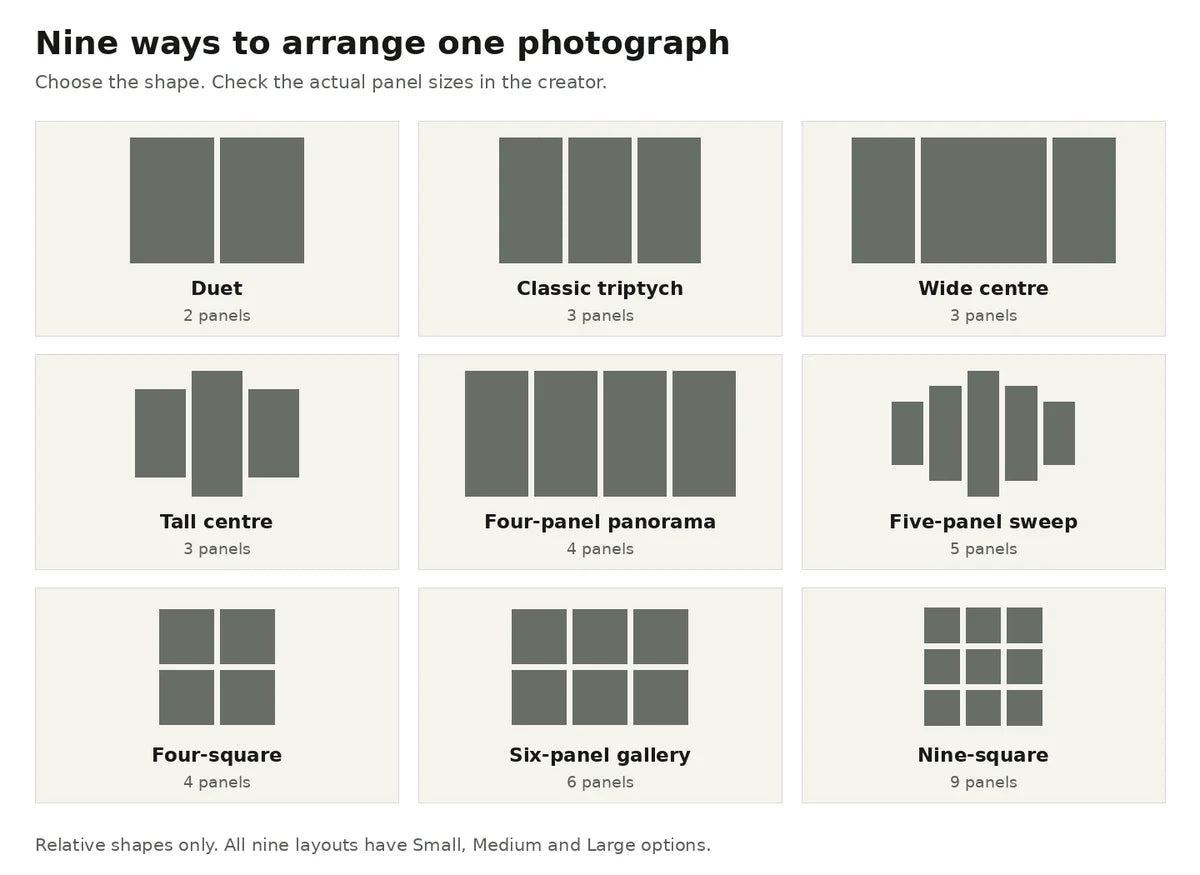
| Layout | Panels | What to look for in your photograph |
|---|---|---|
| Duet | 2 | A composition that works with one clear division. |
| Classic triptych | 3 | A landscape or a scene with space around its main subject. |
| Wide centre | 3 | A main subject that benefits from a broader middle panel. |
| Tall centre | 3 | A central tree, building or other feature with some height. |
| Four-panel panorama | 4 | A view that carries your eye across the wall. |
| Five-panel sweep | 5 | A scene that suits a symmetrical stepped outline. |
| Four-square | 4 | A photograph that holds together in a square crop. |
| Six-panel gallery | 6 | A wider composition across three columns and two rows. |
| Nine-square | 9 | A square composition with interesting detail throughout. |
Each layout has Small, Medium and Large options. Check the individual panel sizes rather than choosing by the name alone. Four-square, for example, uses four 12 × 12 inch panels in Small, four 16 × 16 inch panels in Medium and four 20 × 20 inch panels in Large.
Make the crop yours
Upload once and position the picture as a whole. The large preview lets you see where the panels meet while you move and zoom the photograph. Changing the layout gives you another way to arrange the same scene.
- Choose a layout and size. Look at the panel dimensions and full set price.
- Add your photograph. Use the original file wherever possible.
- Position the picture. Check the joins as well as the outside crop. Keep important faces, lettering and small details clear of a division.
- Choose your finish. Select the depth and the canvas sides you prefer.
- Review the whole set. Make sure you like the complete arrangement before adding it to your basket.
The gaps in the preview show that these are separate pieces. They do not remove strips from the front photograph. You choose the hanging spacing at home, allowing for it when you measure the wall. A wider gap changes how the image reads across the empty space, so take a little time with the arrangement before fixing the panels in place.
The sides are part of the finished print
Slim is 0.75 inch deep; Chunky is 1.75 inches. Both give the photograph a physical presence on the wall, with a different amount of canvas visible from the side.
For the sides, you can choose mirrored edges, gallery outer edges with protected mirrored joins, or one solid colour around the set. White, black and a custom colour are available. A colour side is a finish around the edge, rather than a coloured border added across the front of your photograph.
We print the panels on matte poly-cotton canvas, stretch them over solid pine and finish them by hand. You can see the materials and the people behind the work in Inside YI2C.
A clear price for the complete set
Split sets start at £54.99, with four-square Small sets starting at £64.99. The price shown is for the complete selected arrangement, not one panel. Choose your size and depth in the creator to see the current total before you order.
The price shown is the price for all the panels in your set. It also remains eligible for our basket 3-for-2 offer: one complete split set counts as one qualifying product. Mix it with two more eligible canvas prints or posters and the lowest-priced qualifying complete product is free. The individual panels do not count as separate purchases for that basket offer.
Existing delivery terms apply, including destination exclusions and any applicable supplements. Read our delivery information for the current cutoff and expected timing. Arrival dates are estimates, not guarantees.
A few questions before you begin
Can I put a different photograph on every panel?
This creator is for one photograph across the complete set. If you want several complete photographs that belong together, our three-canvas gallery wall guide covers that approach. For several photographs on one print, explore the collage range.
Does a triptych mean any group of three photographs?
The word describes a work in three parts. Here, Classic triptych means one photograph across three canvases. Three separate photographs are a different way to make a three-print wall.
Do I need to split the files myself?
No. Upload your photograph and work on the complete arrangement in the creator. You do not need to prepare a separate file for every panel.
Can I edit the set after adding it to the basket?
Yes. Reopen the saved set from its basket image or title, make your changes and check the updated set before continuing.
Have a photograph in mind?
Try it in a couple of layouts. You may already know which shape belongs on your wall once you see the picture across it.
Choose your split canvas layout
Still deciding between one canvas and a set? Read our single canvas versus split canvas room guide.