

PHOTOGRAPHY & PRINT GUIDES
Sunset photography: capture the light, keep the colour.
A good sunset photograph needs more than a colourful sky. Learn how to choose the moment, balance the exposure and make a picture you will enjoy seeing on your wall, using a camera or your phone.
Use your own photographs when ordering a print.
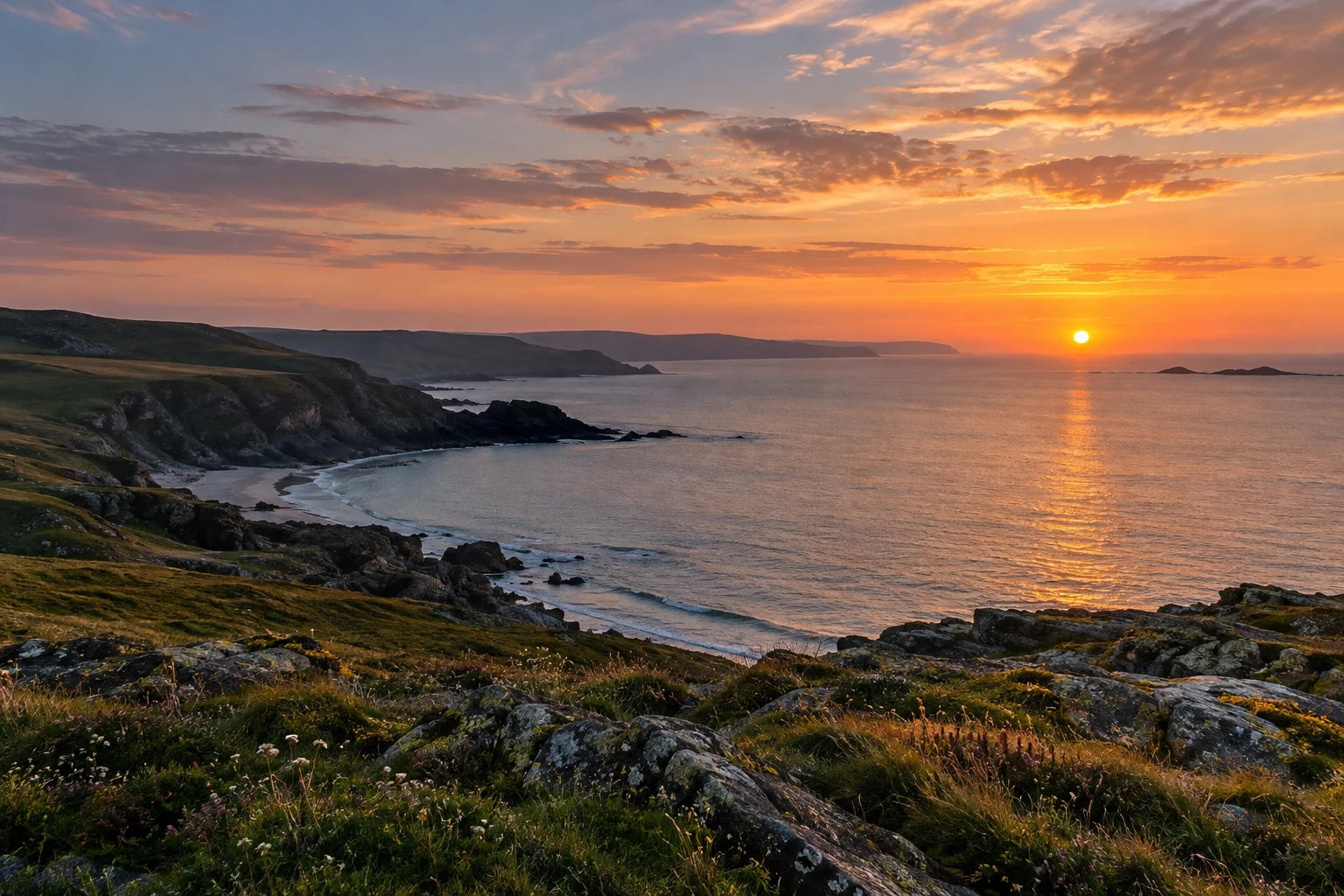
In this guide
- Start with the picture, then the settings.
- When should you photograph a sunset?
- Sunset camera settings: a useful starting point.
- Keep the sky's detail without losing the foreground.
- Give the light a foreground and a clear shape.
- Stay interested after the sun has gone.
- How to photograph a sunset on your phone.
- Edit sunset colours with a light hand.
- Why does my sunset photograph look disappointing?
- Choose a sunset photograph that will work on your wall.
- Your sunset photography questions
- More photography and print advice
- Sources and further reading
Start with the picture, then the settings.
The sky changes, the foreground darkens and a scene that looked remarkable a moment ago can suddenly feel ordinary. Sunset photography rewards a little preparation, but it also rewards noticing what is happening around you.
Before touching a setting, decide what you want the photograph to hold. Is it the shape of a headland, a reflection, a tree against the light or the quiet colour left after the sun has gone? That decision gives the sky somewhere to belong. A beautiful sunset becomes a more personal photograph when it has a subject, a sense of place and a clear arrangement.
You can begin with the equipment you already use. Learn to recognise the light, keep the camera steady and check the result. Those habits help whether the file comes from a phone, a compact camera or a camera with interchangeable lenses.
When should you photograph a sunset?
Treat sunset as a changing period of light rather than one appointment with the horizon. Arriving roughly half an hour early is a useful planning habit: it gives you time to find a composition and notice access, foreground distractions and where the sun will disappear. It is a suggestion for preparation, not a promise about when the best colour will occur.
Before sunset, the low light can warm buildings, grasses and faces. As the sun drops, the contrast between bright sky and darker land can become the main challenge. After it disappears, the light may soften and cooler tones can become part of the picture. The best stage depends on cloud, haze, the landscape and the photograph you want.
Look away from the sun as well as towards it. Light catching the side of a hill can be more interesting than the sun itself. On a cloudy evening, a small opening near the horizon may give a brief change in colour; on another evening, the quieter shades are the reason to stay.
If you work near water, plan the tide and your return route before the light fades. Choose a position that remains sensible after dark. A composition is easier to consider when you are already comfortable with where you are standing.
Sunset camera settings: a useful starting point.
For a still landscape, Aperture Priority is a practical place to begin. You choose the aperture and the camera calculates a shutter speed for its meter reading. It may be marked A or Av. Start around f/8 to f/11 if you want a reasonably generous area of the landscape in focus, then inspect foreground and distance rather than assuming a number guarantees sharpness.
Keep ISO low when the available light and camera support allow it. If the shutter speed becomes too slow for handholding, you have a choice: support the camera, raise ISO or adjust the aperture if the composition permits. A sharp photograph with a little noise can be more useful than a clean-looking file softened by camera movement.
| Choice | Practical starting point | What to check |
|---|---|---|
| Exposure mode | Aperture Priority for a still scene | Whether the camera's chosen shutter speed suits the light and support. |
| Aperture | Around f/8–f/11 on an interchangeable-lens camera | Near and distant detail; more depth of field is not the same as perfect focus. |
| ISO | A low setting such as ISO 100 or 200, when workable | Raise it if you need a faster shutter; avoid a rigid low-ISO rule. |
| Shutter speed | Let the scene determine it | Wind-blown grasses, waves and a handheld camera can need more speed. |
| White balance | Auto or Daylight as an initial comparison | Whether the warm light still looks believable. |
| File | RAW, or RAW plus JPEG, if you will edit | Keep the original; JPEG is also useful when you want a simpler workflow. |
The table offers starting decisions. Your lens, camera, foreground distance, wind and changing light determine the final settings. Phone controls are different, so use the phone steps below rather than trying to impose camera aperture numbers on every handset.
Keep the sky's detail without losing the foreground.
A bright sky and shaded land can exceed the range the camera can record in one exposure. If the camera brightens the ground too much, the cloud colour may disappear into a pale area. If you darken the exposure heavily, the land may become a silhouette. Either can be a deliberate choice, but it helps to recognise the trade-off.
Take a test photograph and check the bright parts of the sky. In an automatic or priority mode, a little negative exposure compensation can help when those areas are becoming too bright. Make a small adjustment, photograph again and inspect it. In fully manual exposure, adjust the exposure settings; the effect of compensation with Auto ISO depends on the camera.
The sun's disc may still be featureless. Try to preserve the important surrounding cloud and colour rather than making the entire picture excessively dark to hold the very brightest point.
A histogram can help when the rear screen is hard to judge outdoors. It shows the distribution of brightness: darker tones are towards the left, brighter tones towards the right. A build-up against an edge can indicate lost detail, but the correct shape depends on the scene. A silhouette should contain dark tones. There is no ideal centred graph for every sunset.
If the sky and land remain too far apart, try a less extreme angle, wait for softer light or make the silhouette part of the design. Exposure bracketing can provide different versions to assess or blend later. Moving waves, leaves and people complicate blending, so do not assume multiple exposures automatically produce a better photograph.
Give the light a foreground and a clear shape.
Look for one feature that draws you into the scene: a curved beach, a path, a line of reeds or a modest group of rocks. Include it because it helps the photograph, rather than because every landscape is supposed to have a large foreground object.
Consider three arrangements. A low horizon gives a remarkable sky room to lead. A higher horizon can make water, reflections or foreground texture the main story. A balanced horizon can work when the reflection is the point. The rule of thirds is a useful way to explore the alternatives, not a compulsory layout.
Check the edges before you press the shutter. A cut-off post, a bright bag or half a branch can become much more noticeable in a large print. Move or change your framing when it is sensible to do so, and leave a little space around the important subject for the final crop.
Turn the camera vertically for a second version if the scene allows it. A narrow line of reflected light can suit a portrait print; a chain of headlands may need width. Capturing both gives you a choice later, instead of forcing a tightly composed landscape into a very different shape.
Stay interested after the sun has gone.
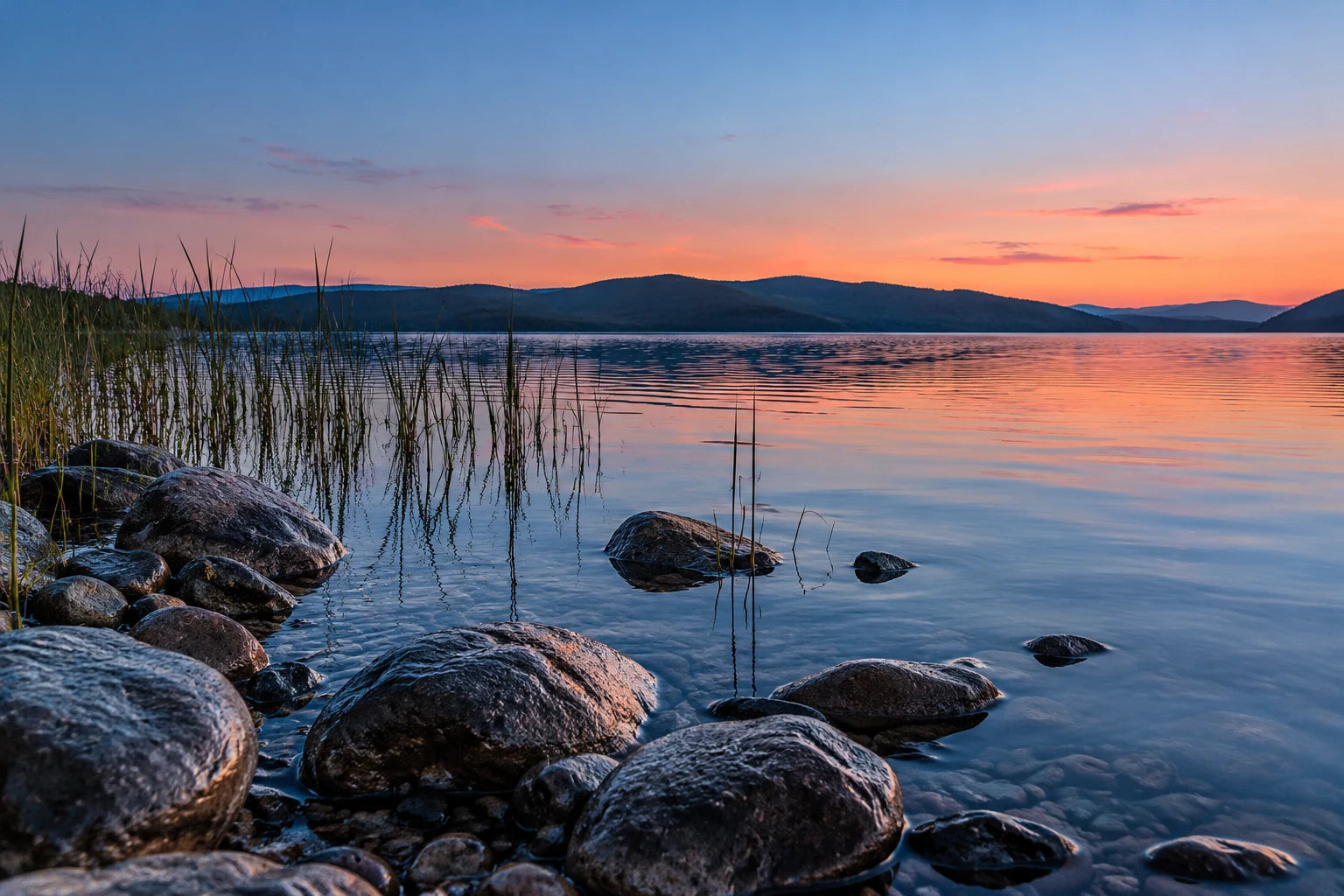
After sunset, look for the relationship between the remaining light and the landscape. The lake example shows how stones, reeds and a restrained reflection can give a quieter sky enough structure to feel complete.
As the light drops, watch the shutter speed again. A tripod or stable support becomes more useful for a still landscape, and a timer or remote release can reduce movement from pressing the shutter. If something important is moving, a supported camera alone will not freeze it; you may need a faster exposure and higher ISO.
Take a few different versions, then pause and look. A darker, calmer image can be worth keeping beside the more colourful photograph made earlier. You do not have to make every evening scene equally bright or equally warm.
How to photograph a sunset on your phone.
Clean the lens and begin with a camera view that keeps the scene clear without excessive digital zoom. If your phone offers several actual cameras, compare the view and the detail rather than assuming the greatest zoom number will give the best file.
Tap the important subject to set focus. Where an exposure control is available, lower brightness a little if the sky is losing colour. On an iPhone, tapping the focus area and adjusting the exposure control lets you change that balance; touching and holding can lock focus and exposure. Other phones have their own controls.
Use the grid or level if it helps keep the horizon straight. Hold the phone steadily and make a second frame before you leave. A finger near the lens, a tilted horizon or an accidentally selected camera can be easier to spot while the scene is still there.
For a stationary scene in low light, a supported phone and its available night mode may help. A longer capture can blur waves, foliage or moving people, so inspect those areas. Use the ordinary camera mode as another option when keeping movement sharp matters more than making the scene bright.
Keep the original full-resolution file. A social-media download or screenshot may look acceptable on a small screen but lose detail when printed. Our guide to how large a phone photograph can print explains how the file, crop and intended size work together.
Edit sunset colours with a light hand.
Begin with the overall exposure and white balance. Then consider highlights and shadows separately. A moderate shadow adjustment may reveal useful foreground detail, while a small highlight adjustment can calm a bright area that still contains recorded detail.
Be careful with saturation, clarity and heavy local edits. If every rock turns orange, the clouds acquire hard outlines or the sky has an obvious band of colour, the processing may be doing more than the photograph needs. Compare with the original and view the whole picture as well as individual details.
RAW gives room to adjust when the camera recorded sufficient information. It cannot guarantee recovery of a completely lost highlight or a blurred foreground. Sharpening can improve presentation; it cannot replace accurate focus and a steady exposure.
For a simple print workflow, keep the original and export one high-quality JPEG from your final edit. Use a normal RGB colour workflow, commonly sRGB, unless the print service specifies otherwise. Do not repeatedly resave small copies or change a resolution label and expect new detail to appear.
Why does my sunset photograph look disappointing?
| What you see | What may be happening | A useful next step |
|---|---|---|
| A pale sky with little colour | Important highlights are too bright | Reduce exposure slightly and inspect the surrounding clouds. |
| A completely dark foreground | Contrast exceeds the chosen exposure | Embrace a silhouette, change viewpoint or wait for gentler light. |
| Soft detail across the picture | Camera movement or missed focus | Check focus and shutter speed; support the camera when appropriate. |
| Sharp land but blurred grasses | The subject moved during the exposure | Increase shutter speed if you want those grasses sharp. |
| Colours that look artificial | Strong white-balance or saturation edits | Compare with the original and reduce the adjustment. |
| A pretty sky with little impact | The composition lacks a clear subject | Simplify the picture around one shape, reflection or line. |
Change one thing at a time. That makes it easier to recognise whether the improvement came from the exposure, focus or composition. On your next outing, choose one modest aim: a level horizon, a useful foreground or three noticeably different versions of the same light.
Choose a sunset photograph that will work on your wall.
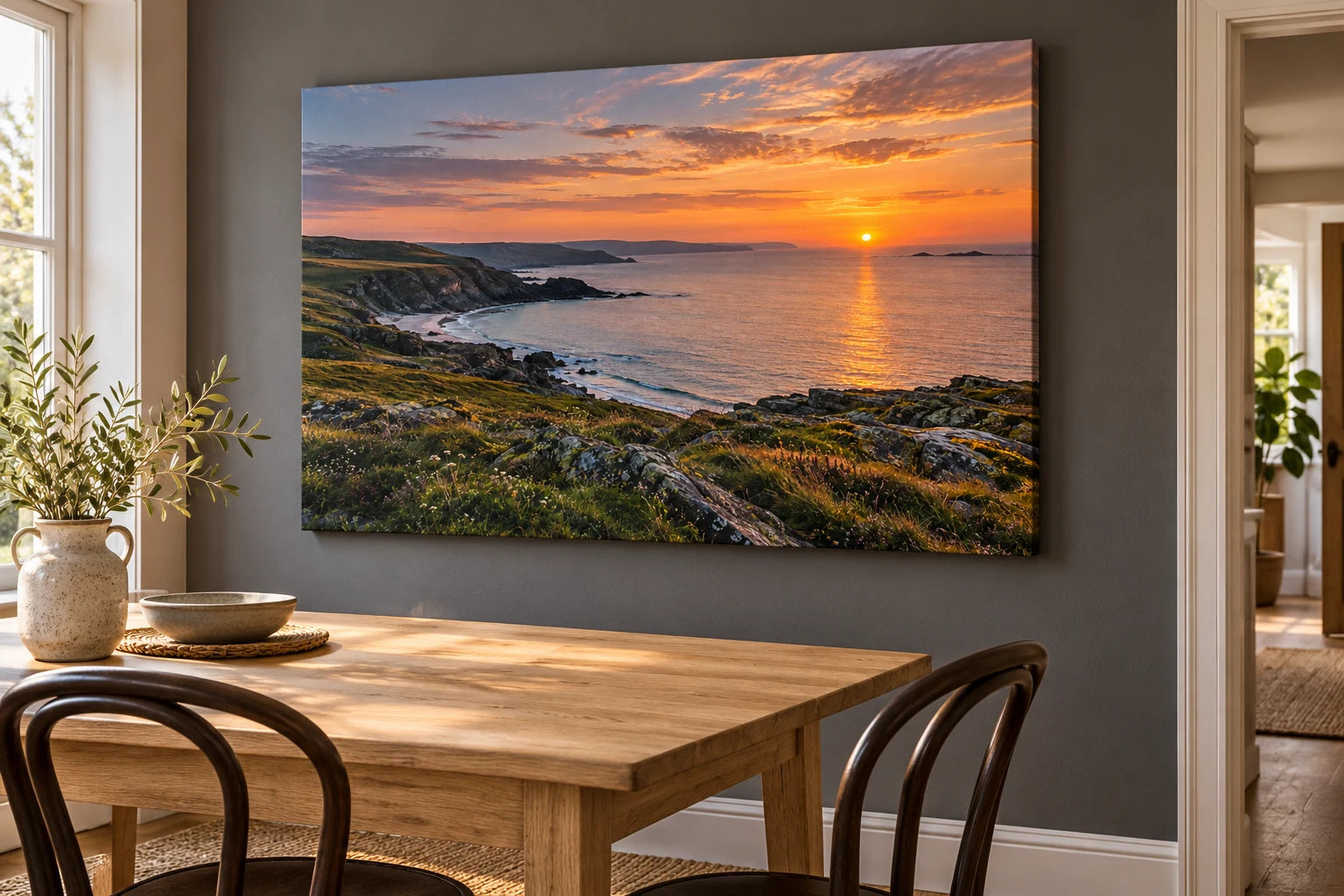
Look at the file closely before choosing a large print. Check rock detail, cloud edges and the foreground you wanted to keep. A pleasing image on a phone can still contain movement blur or a heavily compressed sky. Select the sharpest version that also has the composition you enjoy.
Consider the print's shape before cropping. A wide scene with space around the subject can be forgiving; a sun pressed against the edge can become awkward when the proportions change. With canvas, check the front crop and the side treatment so important light, landmarks and horizons stay where you want them.
Canvas prints give the photograph a woven surface and visible depth. A matte photo poster is a paper print supplied unframed, useful when you want to choose your own picture frame. The canvas and poster size guide helps you judge wall space and proportions.
The strongest sunset print does not have to contain the most dramatic sky. It may be the evening you remember, the place you return to or a quieter picture that belongs comfortably in the room.
Your sunset photography questions
When is the best time to take sunset photographs?
Begin before sunset and keep observing afterwards. The strongest moment depends on cloud, haze, the landscape and the picture you want. Low sunlight can reveal texture before the sun disappears; remaining light can give softer colour later. Arrive early enough to find a composition rather than relying on one exact minute.
Can I take a good sunset photograph with my phone?
Yes. Clean the lens, keep the phone steady, use a sensible camera view and adjust exposure if the bright sky is losing colour. Inspect a second frame before leaving, and keep the original full-resolution file. A heavily zoomed or compressed copy can contain much less useful print detail.
What camera settings should I start with for a sunset?
For a still landscape, Aperture Priority around f/8–f/11 and a low ISO can be a useful starting point on an interchangeable-lens camera. Check focus and the resulting shutter speed. Support the camera or raise ISO if movement becomes a problem. These values need adapting to your scene and equipment.
Do I need a tripod for sunset photography?
A tripod or stable support helps when light falls and a still landscape needs a longer exposure. It is less necessary when the shutter is already fast enough for your handheld technique. It will not freeze moving waves or grasses; those may need more shutter speed if you want them sharp.
Why does my sunset sky look pale instead of colourful?
Important highlights may be too bright, or the camera's colour processing may be changing the appearance. Try a modest reduction in exposure and check the surrounding clouds. Compare white balance without pushing it heavily. Protecting recorded colour is more useful than attempting to add it back to a completely featureless bright area.
Which white-balance setting is best for sunsets?
Auto or Daylight gives you a useful first version; Cloudy or Shade may warm the result. There is no universal Kelvin number that suits every evening. Compare the sky, water and land together. If you shoot RAW, keep that file so you can adjust white balance later without repeatedly altering a finished JPEG.
How can I keep the sky and foreground visible?
Check a test frame, preserve the important sky detail and decide how bright the foreground needs to be. A different angle or softer stage of light can reduce the contrast. A silhouette may be intentional. Bracketing gives alternative exposures, but combining them can be awkward when waves, leaves or people move.
Should I shoot RAW or JPEG for sunset photographs?
RAW is useful when you want more flexibility in exposure and colour editing, provided detail was recorded in the first place. JPEG is a simpler finished-file option. RAW plus JPEG can keep both choices available. Retain the original and export a high-quality finished image for printing rather than uploading a screenshot.
Why is my sunset photograph blurry?
Check whether the whole picture moved, the focus missed or only a moving subject is soft. A slow handheld exposure can soften everything, while wind can blur grasses even with a supported camera. Inspect the foreground and distance separately. Adjust focus, support or shutter speed according to the actual problem.
How large can I print my sunset photograph?
The sensible size depends on the pixels remaining after cropping, actual sharpness, compression and how the print will be viewed. A high megapixel label does not guarantee clear detail. Keep the original, check your intended crop and inspect cloud and foreground detail. Use the linked YI2C size and phone-file guides for a practical assessment.
Is canvas or a poster better for a sunset photograph?
Canvas gives the image a woven surface, finished sides and visible depth. A matte poster gives you a smooth paper print to place in your own suitable frame. Both need a good file and a useful crop. Choose according to the room, the photograph and the physical finish you prefer.
Will the sunset picture wrap around the canvas edges?
The selected side treatment determines what appears around the canvas. Review the front crop and available edge options in the creator. Keep the sun, horizon and important landmarks comfortably on the front. An edge treatment cannot repair a front crop that already removes part of the picture you wanted.
More photography and print advice
Try the companion wildlife photography guide for a different approach to light, timing and a subject that moves. Browse more YI2C photography and print guides, or keep reading about phone-photo print size when you are choosing your final file.
Sources and further reading
The suggested settings are starting points to test against your own equipment and conditions. For more technical detail, see Canon's sunset photography advice, Nikon's guide to reading a histogram and Apple's focus and exposure controls.
Found this guide useful?
Add Your Image 2 Canvas as a preferred source on Google.

3 for 2 · Mix and match
Canvas prints.
Quality you can see.
Printed and finished by our family team in West Yorkshire.
From £14.99, including free standard UK delivery.
Create your canvasMix qualifying physical Canvas and Poster prints. Cheapest qualifying base print free; upgrades and extras remain payable. Downloads excluded. Delivery exclusions apply.