

PHOTOGRAPHY & PRINT GUIDES
Wildlife photography: notice more, photograph thoughtfully.
Learn how to make clearer wildlife photographs with the equipment you already have: understand the subject, choose a useful shutter speed and focus, then prepare a favourite image for canvas or paper.
Use your own photographs when ordering a print.
In this guide
- Begin with the wildlife around you.
- Give the animal space before you give the picture attention.
- Understand the three settings that affect your choices.
- Wildlife camera settings: start here, then check the result.
- Focus on the eye, and check that focus stays there.
- Use the light and background together.
- Keep some of the animal's world in the photograph.
- Can you photograph wildlife on a phone?
- Why are my wildlife photographs blurry?
- Edit to keep the animal recognisable.
- Choose a wildlife photograph for canvas or paper.
- Your wildlife photography questions
- More photography and print advice
- Sources and further reading
Begin with the wildlife around you.
A robin on a garden branch, ducks on a pond or a deer at the edge of woodland can teach you a great deal about wildlife photography. You do not need an unusual destination to practise seeing a subject, anticipating movement and working with the available light.
Choose somewhere you can revisit. Notice where animals appear, the backgrounds behind them and the times when observation is easiest. Keep a small record of what you saw and which photographs worked. Familiarity helps you prepare before the moment happens, rather than hurriedly changing every setting when a subject arrives.
Start with one manageable aim. It might be a clear eye, an uncluttered background or a picture that shows the animal within its surroundings. A close portrait and a wider habitat picture are different achievements; both can make photographs worth keeping.
Give the animal space before you give the picture attention.
The animal's welfare comes before the photograph. Keep to appropriate paths and viewing areas, follow reserve guidance and use distance, patience and the reach of your lens. If the subject interrupts feeding, shows alarm or moves away because of your presence, stop and give it more room.
Leave nests, young animals, roosts and shelters undisturbed. Avoid using call playback, bait or habitat changes to arrange a picture. For a beginner's natural-light approach, leave flash and distracting camera sounds off. Be especially considerate when animals are breeding, resting or under pressure from weather.
Do not treat an animal staying still as proof that an approach is harmless. Watch the situation as a whole and withdraw when unsure. A photograph made from farther away can tell a strong story about habitat, and a visit without a photograph can still teach you something useful.
The Royal Photographic Society's nature photography code explains why care and observation belong at the centre of the work. Check the site's current rules and relevant local guidance when planning a visit.
Understand the three settings that affect your choices.
Shutter speed determines how long each exposure records light and movement. A fast exposure can keep a hopping bird clearer; a slower one may show movement in wings or water. It also affects how much light the camera records during that exposure.
Aperture is the lens opening, expressed as an f-number. A wider opening can admit more light and help soften the background, but it can also leave less of the animal in focus. Depth of field depends on more than aperture: focal length, camera-to-subject distance and how the picture is viewed matter too.
ISO affects how the recorded signal is handled and the brightness of the result. Increasing it can let you use a faster shutter or a smaller aperture for the same target brightness. Higher settings may make noise and loss of fine detail more visible, especially after a heavy crop or strong shadow brightening.
For wildlife, avoiding subject blur often matters more than keeping ISO at its lowest setting. Decide what needs to remain sharp, choose a suitable shutter speed and allow the other settings to support that aim.
Wildlife camera settings: start here, then check the result.
Shutter Priority, often marked S or Tv, lets you choose the exposure duration while the camera manages aperture. If your camera supports it, Manual exposure with Auto ISO lets you choose both shutter and aperture while ISO adjusts. Aperture Priority can also work, provided you keep checking that the resulting shutter speed suits the subject.
| Subject and aim | A starting shutter speed to try | What may need changing |
|---|---|---|
| A quiet, perched bird | Around 1/500 second | Tiny movements, long lenses and handholding can need more speed. |
| A larger animal standing quietly | Around 1/500–1/1000 second | Reduce only when the subject, support and intended effect allow it. |
| A walking animal or lively garden bird | Around 1/1000 second or faster | Watch legs, head movement and whether the eye stays clear. |
| A flying bird or fast action | Around 1/2000–1/3200 second | Small birds' wing tips can still blur; speed, direction and distance matter. |
| Deliberate movement or panning | Slower than the sharp-action choice | Practise following the subject and accept a lower success rate. |
These are practical trial values, not minimum guarantees. Light, subject movement, focal length, stabilisation and technique affect the result. Take a test frame of the scene before wildlife arrives, then review the actual subject at a useful magnification.
Choose a reasonably wide aperture that your lens offers, then check how much of the subject is clear. A lens that opens only to f/8 can still make an attractive portrait with the right distance and background. If two animals are at different distances, a smaller opening may be helpful, but it increases the demand for light or ISO.
Auto ISO can make changing light easier to manage. A strict low ceiling may leave the camera unable to reach the brightness you need at your selected shutter and aperture. Learn how your camera behaves at that limit, rather than setting an arbitrary number and forgetting it.
Focus on the eye, and check that focus stays there.
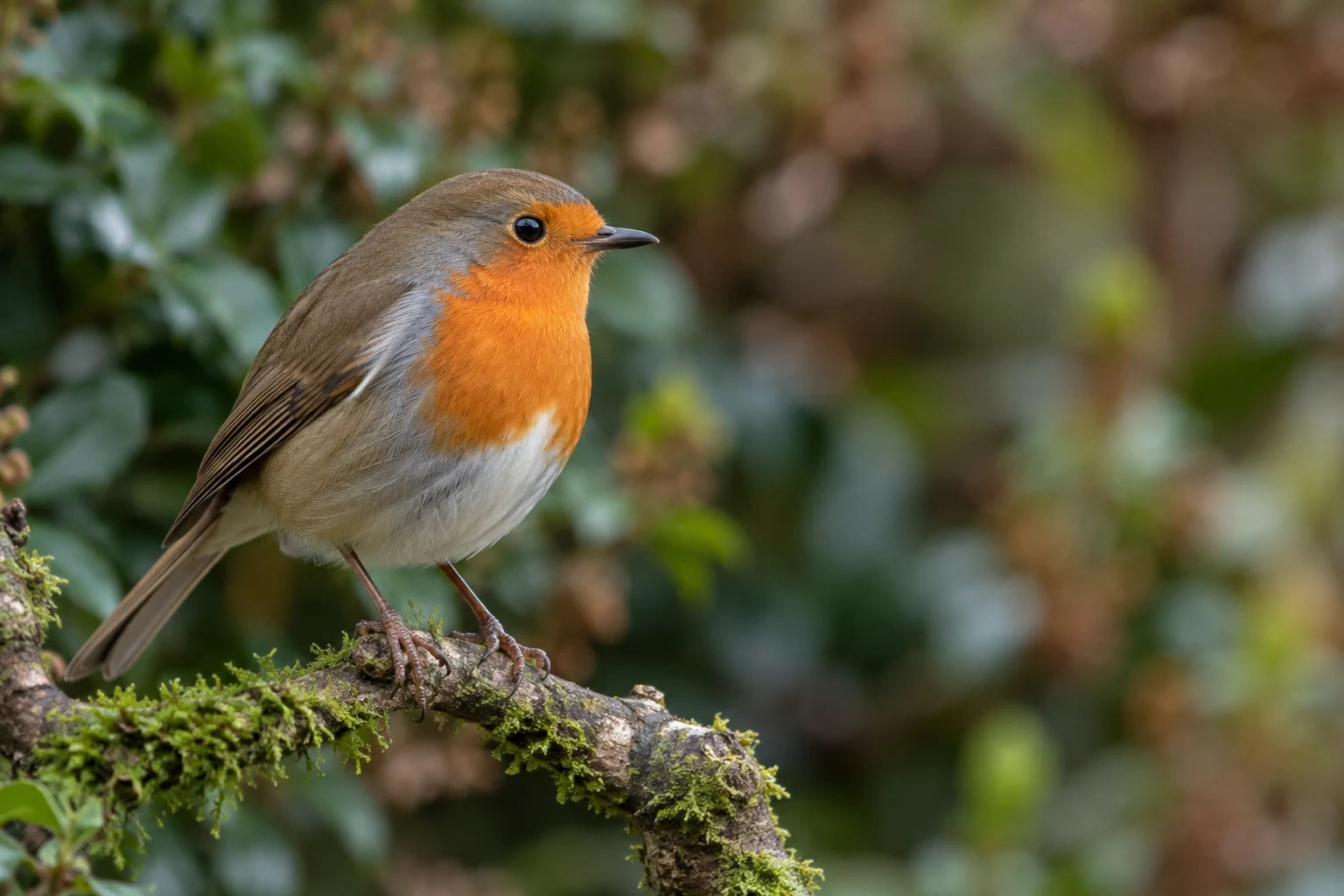
The eye is often the detail that makes an animal portrait feel connected. For a still subject, a carefully placed focus point can be useful. For movement, continuous autofocus, often called AF-C or Servo, can keep adjusting as the subject's distance changes.
Animal or bird detection can help where the camera offers it, but check the selected target. A nearby branch, a second animal or an obscured face can draw the system away from the eye. If it repeatedly chooses the wrong thing, try an appropriate smaller focus area or a manually selected point.
Use a short burst when the expression or position is changing. Then choose the frame with the best combination of eye clarity, pose and background. The longest burst does not automatically give you the best photograph, and it can make sorting the files unnecessarily difficult.
For birds in flight, practise following a subject through the viewfinder and keeping it within the camera's useful focus area. Begin with more predictable movement when possible. It is easier to learn what the controls do when you are not trying to track a tiny bird changing direction at close range.
Use the light and background together.
Soft daylight can make plumage and fur easier to record without strong patches of brightness and shadow. Low side light can add shape, while backlighting can emphasise an outline. Choose an angle you can use without intruding on the animal, and watch whether the face remains readable.
An animal against a bright sky may look dark if the camera meters the whole frame. A small exposure adjustment can help, but inspect pale feathers and other important highlights. A white bird and a dark bird in the same scene may need different choices. There is no single positive or negative compensation setting for all wildlife.
Look for the brightest distraction before making a long sequence. A pale fence, a car or a gap of bright sky can compete with the subject even when it is out of focus. Sometimes a small, appropriate change in your viewing position improves the background more than a new lens would.
An eye-level viewpoint can make the animal feel part of the viewer's world. A higher position can be useful when it reveals habitat or pattern. Choose the angle for the picture, and avoid treating a low viewpoint as a reason to crawl towards a sensitive subject.
Keep some of the animal's world in the photograph.
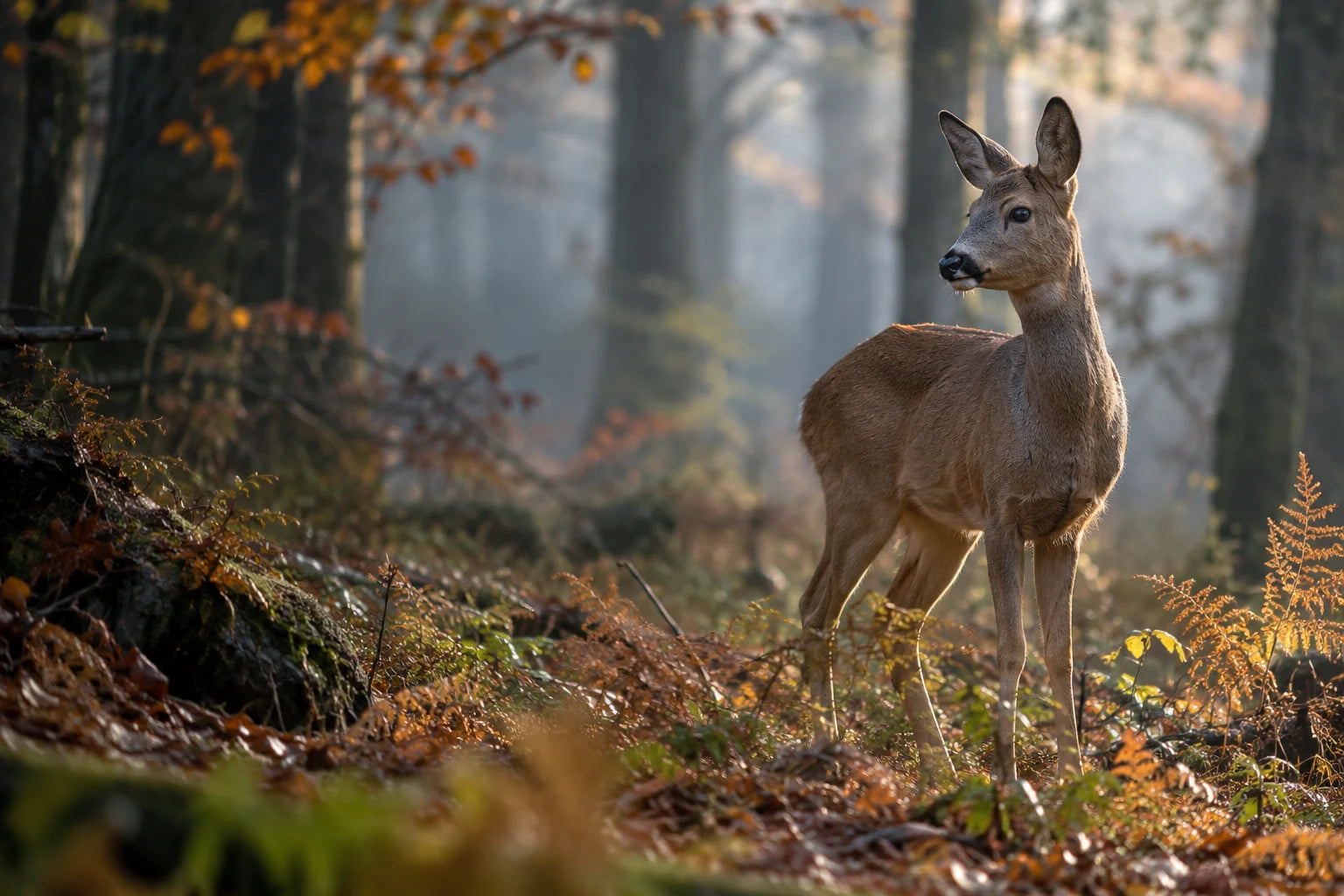
You do not always need to fill the frame with fur or feathers. The woodland hero uses trees, autumn colour and surrounding space to show where the deer belongs. A smaller animal within a thoughtful landscape can hold a room differently from a tightly cropped portrait.
Leave a little space in the direction the animal is looking or moving. Check ears, tail, wings and feet against the edges. A deliberate close crop can work, but an accidentally missing wing tip may become distracting when the photograph is enlarged.
Try making two different pictures while keeping your position and the animal's comfort unchanged: one that gives the subject prominence and another that includes more habitat. Review them separately. The wider photograph may be the more complete story, especially when your available lens cannot provide a detailed close view.
Can you photograph wildlife on a phone?
A phone can be useful for accessible subjects and wider habitat pictures. It is more limited when a small animal is distant, the light is low or movement is fast. Heavy digital zoom and a large crop can make the subject look detailed on the screen while leaving very little usable information in the file.
Use the actual camera options your phone provides and keep the original file. Tap to focus where the app allows it, support the phone and make a few considered frames. If the phone offers bursts or a moving-subject mode, learn those controls with an easy subject first.
Let the surroundings help tell the story when the animal is too small for a close portrait. Keep your distance rather than moving nearer just to compensate for limited reach. Small subjects that you can observe without disturbance may offer a more rewarding starting point than distant birds in flight.
Before printing, check the remaining pixels after your crop and the clarity of the eye or main subject. Our phone-photo print-size guide explains why file dimensions, focus and crop are more useful than a phone's marketing megapixel figure.
Why are my wildlife photographs blurry?
Begin by identifying the kind of softness. If the branch is clear but the bird is smeared, the animal may have moved. If the whole frame has directional blur, camera movement may be involved. If a leaf behind the animal is clear while its eye is soft, focus may have landed in the wrong place.
| Problem | What to inspect | A useful next step |
|---|---|---|
| A moving subject looks smeared | Shutter speed and the direction of movement | Try more speed, then adjust aperture or ISO for the available light. |
| The background is sharper than the eye | Selected focus point or detection target | Place focus deliberately and review whether it tracks the subject. |
| The whole image looks shaky | Handholding, support and focal length | Improve support or shutter speed; avoid pushing the camera as you release it. |
| The file looks grainy and flat | ISO, underexposure and strong shadow recovery | Seek usable light and avoid making a very dark exposure just to retain low ISO. |
| Feathers look waxy or outlined | Noise reduction and sharpening | Reduce the edit and compare with the original at a useful size. |
| A large enlargement lacks detail | Heavy crop or a small source file | Choose a smaller print or a wider composition with more original information. |
Image stabilisation can help with camera movement; it does not stop an animal moving during an exposure. Different cameras and lenses behave differently when supported, so follow their instructions rather than relying on a universal switch-on or switch-off rule.
Edit to keep the animal recognisable.
Select for the photograph first: eye clarity, pose, light, background and the behaviour you wanted to show. Then make restrained exposure and colour changes. A little noise reduction may tidy an image, but excessive smoothing can remove the fine texture you wanted to print.
Review the whole frame and the important detail. Avoid pushing sharpness until every feather edge has a bright outline. Keep a separate original and export a high-quality JPEG when you are happy with the final edit.
Be clear about what the image represents. A natural wildlife photograph, a zoo photograph and a creative picture made by adding or replacing elements are different kinds of image. Generative edits may invent fur, feathers or backgrounds; they do not establish that an event happened or restore guaranteed true detail to a missed focus.
For personal wall art you can choose the treatment you enjoy, while keeping the animal's identity and your own expectations in mind. A straightforward photograph can be powerful precisely because it holds the moment you observed.
Choose a wildlife photograph for canvas or paper.
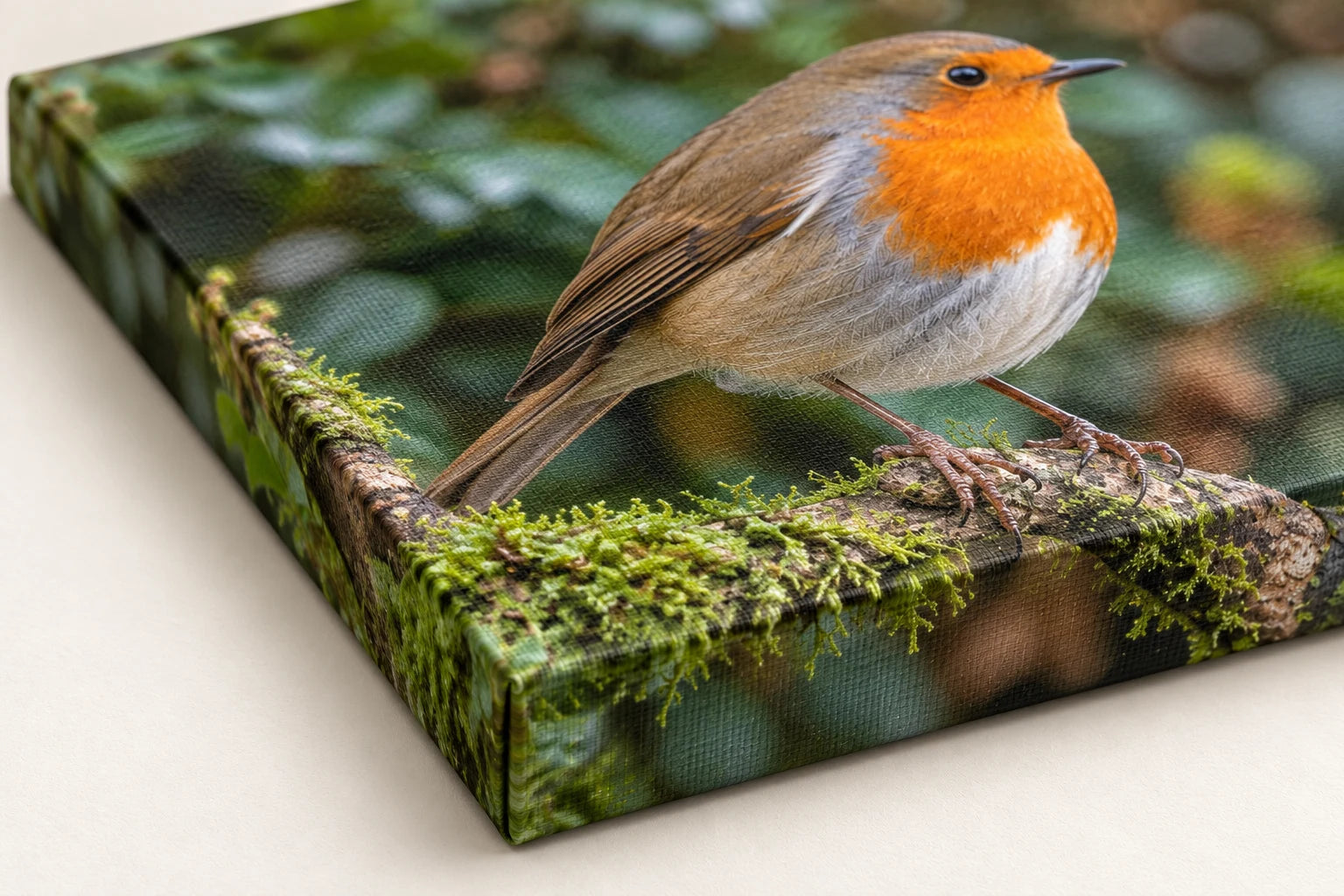
Inspect the intended crop before choosing a size. Check the eye, feather or fur detail, and the space around ears, wings and tail. Enlarging a small subject taken from the middle of a distant scene can reveal noise and softness that were unobtrusive in the full picture.
A canvas print has a woven surface and visible side depth; an optional floating wood frame can give it an additional outline. A matte poster is supplied unframed, ready for a suitable picture frame of your choice. Choose the physical finish around the image and the room, then use the size guide to judge proportions.
For canvas, keep the important part of the animal inside the front crop and review the side treatment. A mirror edge can help preserve the chosen front photograph, but it does not undo an unsuitable crop. Give the preview the same attention you gave the subject.
One close portrait, one habitat picture and one detail can make a thoughtful group of prints. If you choose three qualifying physical Canvas or Poster prints, YI2C's 3-for-2 offer makes the cheapest qualifying base print free; frames, hanging kits and other extras remain chargeable. The creator and basket show the choices and total for your order.
Your wildlife photography questions
Do I need an expensive camera for wildlife photography?
You can begin with equipment you already own and familiar subjects you can observe without disturbance. A longer lens can help with distance, but local practice, light, focus and timing still matter. A wider habitat picture may be more successful than a very tight crop when your equipment has limited reach.
Can I photograph wildlife with a phone?
A phone can work well for wider habitat pictures and accessible subjects. Distant small animals, low light and quick movement are more difficult. Avoid extreme digital zoom and keep the original file. Let the surroundings contribute to the image, and keep your distance rather than approaching to compensate for limited reach.
What shutter speed should I use for wildlife?
Try around 1/500 second for a quiet subject, about 1/1000 or faster for movement, and around 1/2000–1/3200 for fast action. These are trial values, not guarantees. Small birds, long lenses, handholding and the direction of movement may need another choice. Review the eye and moving details after a test.
Which autofocus mode is best for moving animals?
Continuous autofocus, often labelled AF-C or Servo, can keep adjusting while a subject moves. Animal or bird detection may help if your camera offers it, but check which target it selects. If the system repeatedly chooses a branch or another animal, use an appropriate smaller focus area or a deliberately selected point.
Should I keep ISO as low as possible for wildlife?
Use a low setting when it still permits the shutter speed and depth of field you need. Keeping ISO very low at the expense of motion blur can be counterproductive. Auto ISO can help in changing light, but learn what happens at its limit. Judge actual detail and noise rather than treating one ceiling as universal.
Why is the branch sharp but the bird blurry?
The bird may have moved during the exposure, or focus may have landed on the branch. Look at the direction of the softness and check the selected focus target. More shutter speed helps movement; deliberate focus placement helps a missed eye. Camera stabilisation alone does not freeze a moving bird.
What time of day is best for wildlife photography?
Choose around the subject's habits as well as the light. Some mammals are easier to observe early or late, while other subjects offer opportunities at different times. Soft light can make texture easier to record. Revisit a familiar location, observe quietly and adapt to what the animal is doing.
How can I photograph wildlife without disturbing it?
Use distance, patience, appropriate paths and viewing areas, and follow reserve guidance. Leave nests, young animals and shelters alone. Avoid bait, call playback and changes to the habitat to arrange a picture. If your presence interrupts feeding or produces alarm or retreat, stop and give the animal more room.
How much can I crop a wildlife photograph before printing?
It depends on the original detail, remaining pixel dimensions and intended print size. A distant animal may occupy only a small part of a large file. Inspect the actual crop, especially eyes, fur and feathers. A smaller print or a wider composition can be more successful than trying to enlarge missing information.
Can sharpening or AI fix a missed-focus wildlife photograph?
Sharpening and noise reduction can tidy a usable image, but they do not reliably recover the true detail that missed focus or motion blur removed. Generative edits can invent fur, feathers or backgrounds. Keep the original and choose a sharper frame or smaller print when an accurate natural photograph is your aim.
Should I print wildlife on canvas or matte paper?
Canvas offers a woven surface and visible depth, with an optional outer floating frame where available. A matte poster is supplied unframed and lets you choose your own picture frame. Check the source file and intended crop for either option, especially around ears, wings, feet and fine detail.
Can I order three different wildlife photographs with 3 for 2?
Choose three qualifying physical Canvas or Poster prints, using different photographs if you like. The cheapest qualifying base print is free; frames, hanging kits and other extras remain chargeable. A close portrait, a habitat picture and a detail can form a useful group. The basket confirms the eligible offer for your actual items.
More photography and print advice
The companion sunset photography guide explores changing light, exposure and colour in more detail. Browse more YI2C photography and print guides, or use the phone-photo print-size guide when you are considering an enlargement.
Sources and further reading
For additional technique and observation advice, see Canon's wildlife photography tips, Nikon's guide to urban wildlife and the RSPB's photography questions. For fieldcraft, consult the Royal Photographic Society's nature photography code. Adapt the trial settings to the actual subject, light and equipment.
Found this guide useful?
Add Your Image 2 Canvas as a preferred source on Google.

3 for 2 · Mix and match
Canvas prints.
Quality you can see.
Printed and finished by our family team in West Yorkshire.
From £14.99, including free standard UK delivery.
Create your canvasMix qualifying physical Canvas and Poster prints. Cheapest qualifying base print free; upgrades and extras remain payable. Downloads excluded. Delivery exclusions apply.