Build with broad shapes.
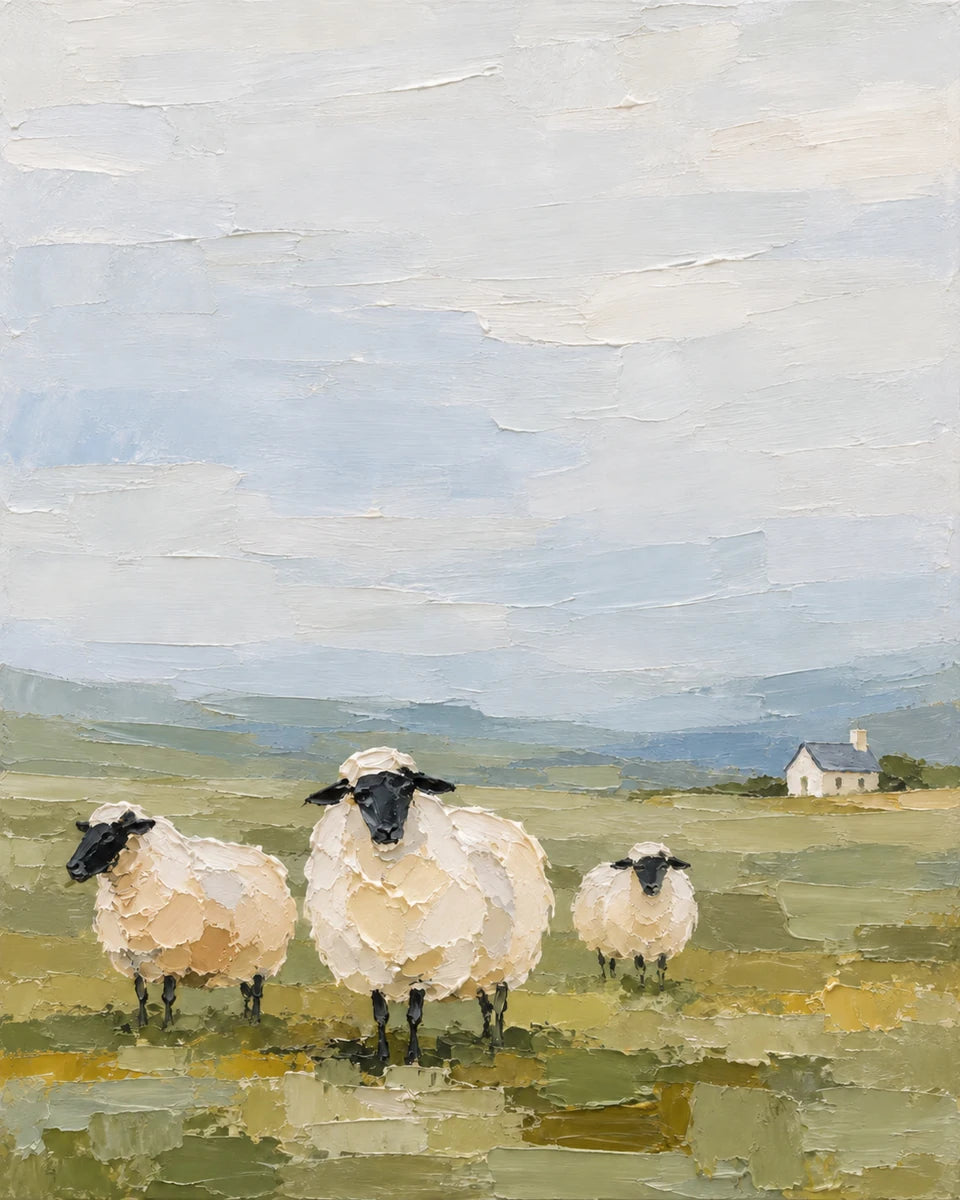
A cream oval can become a sheep. A handful of dark strokes can suggest its face and legs.
3 FOR 2 ON CANVAS PRINTS · FREE EXPRESS DELIVERY


THE PAINTED LOOK. YOUR OWN WAY.
Always wanted a painting of your own? Start with words, shape a simple painted finish and make a collection of pictures you would love to live with.
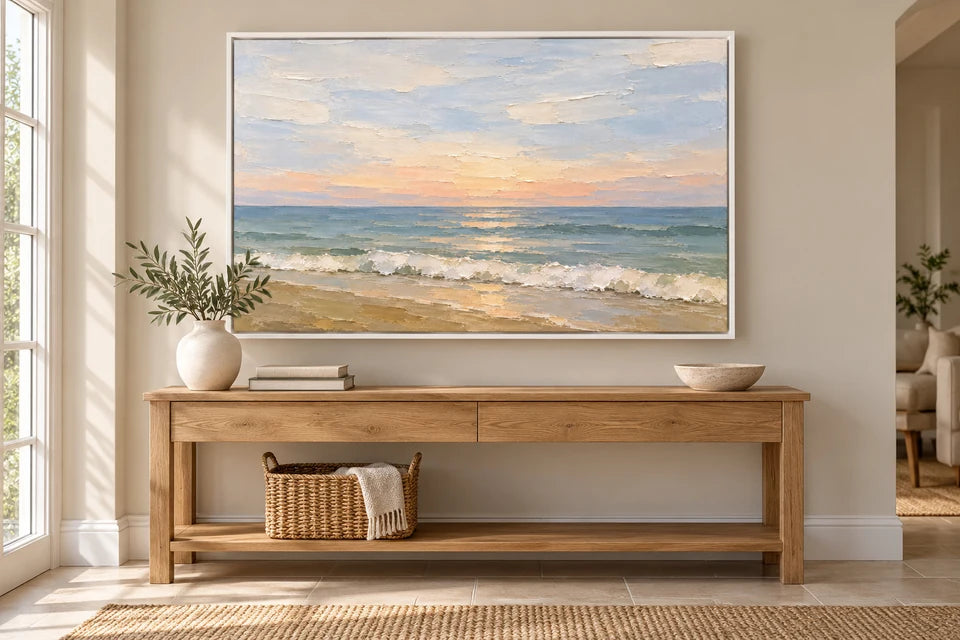
The guide helps you make a digital image with a painted appearance; a print does not recreate raised oil paint.
START WITH ONE PICTURE
An original oil painting holds its maker’s physical marks and decisions. Creating a digital picture is a different process, but it can still give you personal wall art shaped around subjects and colours you love.
This collection explores a spare, characterful finish: creamy shapes suggesting sheep, a softly dragged sky, an imperfect block of paint becoming a cottage. The interest comes from the relationship between marks.
Describe a scene, choose the first result you like and save it as your own benchmark. Then take that same painted language somewhere new.
FEWER MARKS. MORE INTENTION.
“Oil painting” leaves a lot undecided. The size of a mark, its edge and the space around it give this collection its character.
A cream oval can become a sheep. A handful of dark strokes can suggest its face and legs.
Selective thick-looking marks work best beside softer sky and open passages. Texture everywhere can look mechanical.
Simple still needs judgement. Check the feet, horns and handles, and the weight of each object.
ONE PAINTED LANGUAGE. SIX DIRECTIONS.
Animals, sea, a small cottage, a jug of flowers. Choose a scene for your wall, then use its recipe as a starting point.
01 / THE STARTING POINT
The sheep establish the collection's visual language: simple rounded bodies, a quiet sky and a small number of strong dark marks. Their charm comes from proportion and posture. More detail would make this a different kind of picture.
Use this idea
02 / CHARACTER IN A FEW MARKS
The owl works as a more focused portrait. A heart-shaped face, two dark eye dabs and a broad tawny wing are enough to make the subject recognisable. Quiet surroundings give those shapes room to matter.
Use this idea
03 / LET COLOUR CARRY IT
The cow brings a stronger warm accent into the collection. Its russet forehead changes the balance without changing the paint language. Broad hair shapes, simple eyes and a quiet background make it feel considered rather than overworked.
Use this idea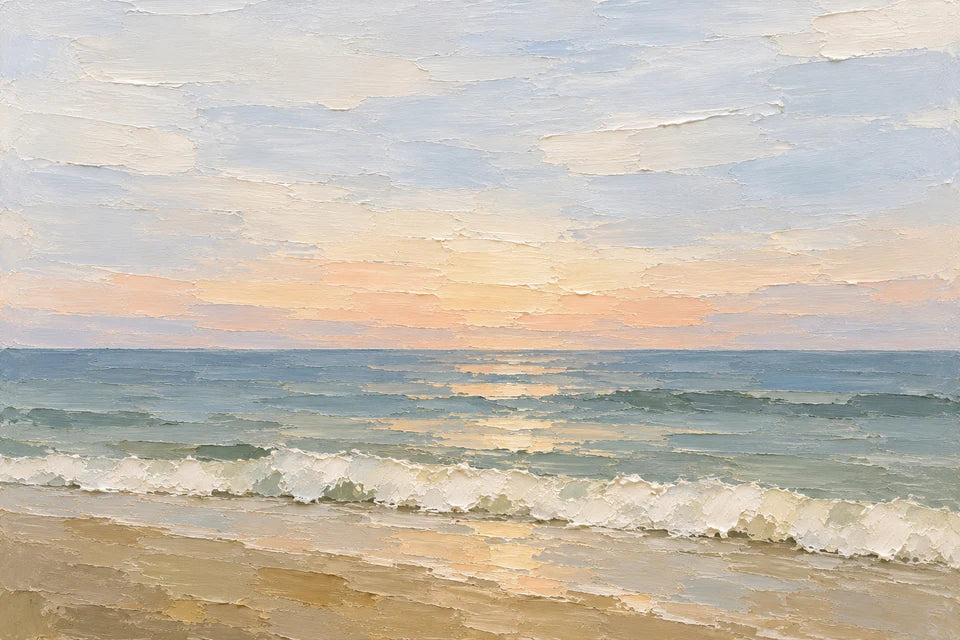
04 / A DIFFERENT RHYTHM
The ocean changes the collection's structure. Instead of rounded animals, long horizontal passages carry the eye across the image. The peach light adds warmth while the broad knife marks and generous sky keep the painting related to the sheep.
Use this idea
05 / A PLACE, SIMPLY SUGGESTED
The cottage gives the range a landscape with a modest architectural focus. Uneven cream walls, a few roof strokes and small dark windows suggest a place you could imagine visiting. Pink garden marks lift the picture without turning it into a detailed floral illustration.
Use this idea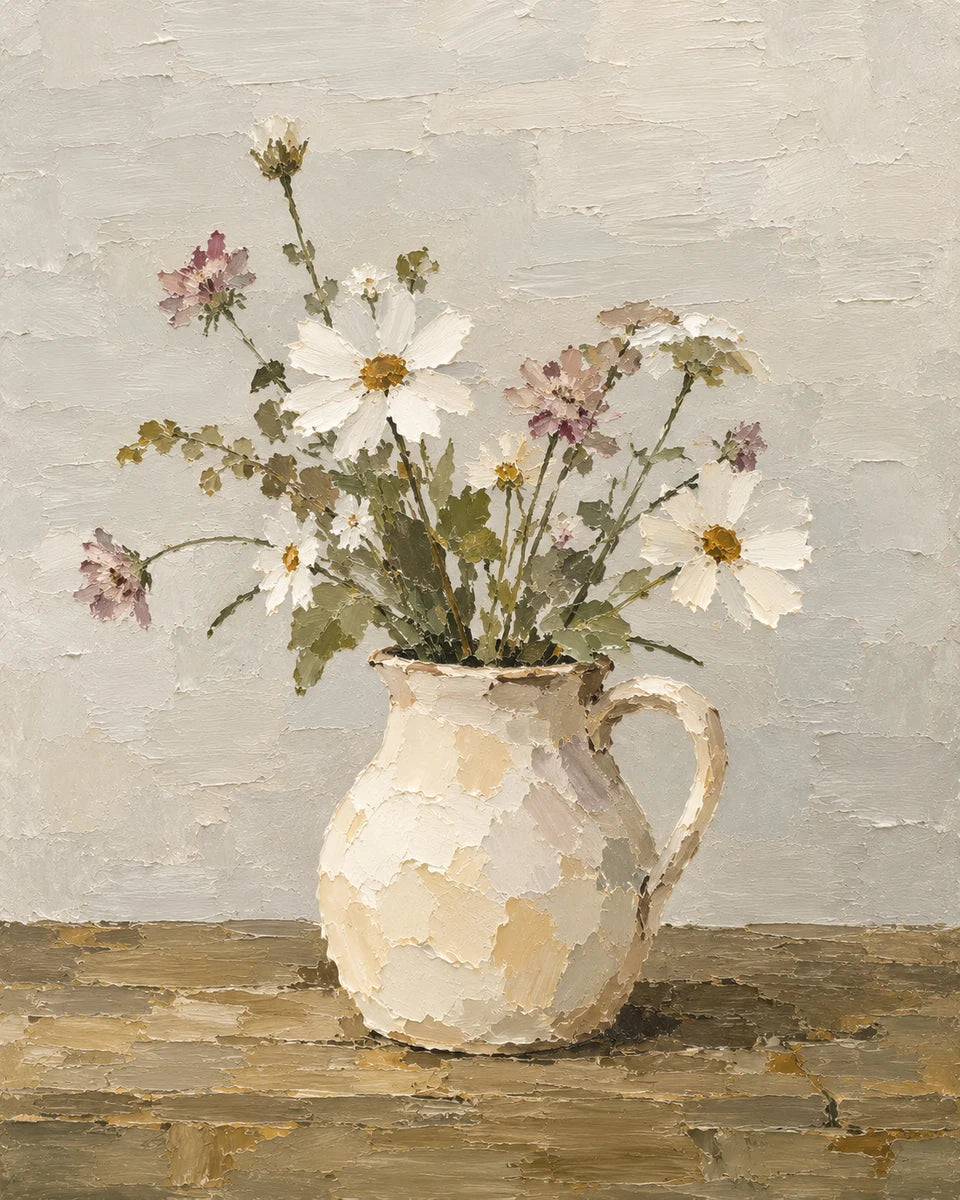
06 / BRING THE COLLECTION INDOORS
A still life shows that this finish is more than a countryside formula. The jug is a broad cream shape, and the flowers are an open arrangement of colour. Their irregular spacing gives the image life while the quiet wall prevents it becoming busy.
Use this ideaYOUR IDEA, READY TO SHAPE
Copy the wording into your chosen image tool. These editors prepare the prompt; they do not generate an image or send it to the print creator.
YOUR STARTING POINT
Keep the sky open and describe wool with broad deposits of paint rather than curls or fine hairs.
Begin entirely with words. No reference upload is needed.
Edit the complete prompt directly, or change the details below and deliberately apply them. Typing in a field will not erase your manual wording.
YOUR STARTING POINT
Keep the waves to a few broad shapes. Do not fill the sky with elaborate clouds or add a photographic sun.
Optional: attach your own first artwork as the paint-handling benchmark, or choose the words-only route.
Edit the complete prompt directly, or change the details below and deliberately apply them. Typing in a field will not erase your manual wording.
YOUR STARTING POINT
Suggest feather groups with broad marks rather than drawing every feather. Keep the face gentle and the feet believable.
Optional: attach your own first artwork as the paint-handling benchmark, or choose the words-only route.
Edit the complete prompt directly, or change the details below and deliberately apply them. Typing in a field will not erase your manual wording.
YOUR STARTING POINT
Keep both horns inside the picture. Use several weighty directional strokes for the forelock, not hundreds of individual hairs.
Optional: attach your own first artwork as the paint-handling benchmark, or choose the words-only route.
Edit the complete prompt directly, or change the details below and deliberately apply them. Typing in a field will not erase your manual wording.
YOUR STARTING POINT
Keep the cottage small within the scene. Let a few irregular paint shapes suggest the garden, rather than describing every leaf.
Optional: attach your own first artwork as the paint-handling benchmark, or choose the words-only route.
Edit the complete prompt directly, or change the details below and deliberately apply them. Typing in a field will not erase your manual wording.
YOUR STARTING POINT
Leave visible gaps through the bunch. Paint the flowers in a few confident marks rather than drawing individual petals.
Optional: attach your own first artwork as the paint-handling benchmark, or choose the words-only route.
Edit the complete prompt directly, or change the details below and deliberately apply them. Typing in a field will not erase your manual wording.
Results vary between image tools and generations. Keep the original file and the wording you used. Saved edits stay in this browser where local storage is available.
A FAMILY OF PICTURES
The sea can be cooler and the cow warmer. Related cream highlights, restrained dark accents and the same balance of calm areas and expressive marks keep them connected.
If your image tool accepts a reference, attach your own approved first picture. Say that it guides the finish, not the subject or composition. The companion recipes also include a words-only route.
Explore the matching art collection guide →WHEN THE STYLE DRIFTS
“Make it match” gives less direction than a precise observation.
Keep the owl and post. Reduce the feathers to broad tawny shapes, soften the background edges and leave more quiet sky.
Identify what changed: detail, edges, colour, texture or space. Keep the successful parts and alter one or two things at a time. Save versions so you can return to the better composition.
THREE WAYS TO LIVE WITH IT
Choose the picture’s shape before generating. Portraits give a single subject presence; landscapes sit comfortably above a console. Plan a group side by side before choosing sizes.
01 / WHITE FLOATING FRAME
A narrow shadow gap separates the canvas from its frame. The warm greige wall gives the white edge definition.
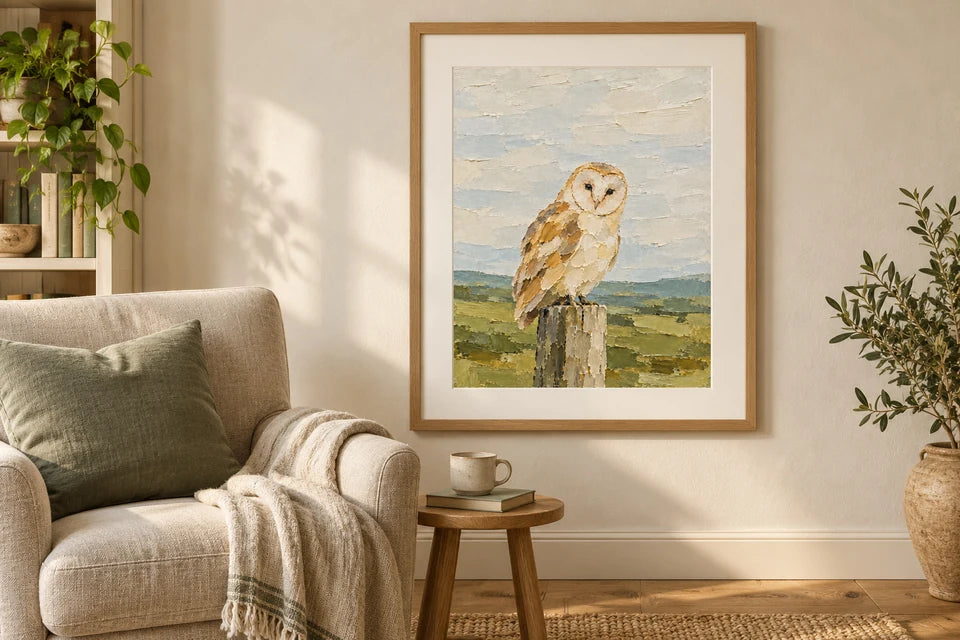
02 / PAPER, FRAME & MOUNT
A generous off-white mount lets the owl and quiet sky stand on their own. Frame and mount are styling props; YI2C supplies posters unframed.
Edit the owl prompt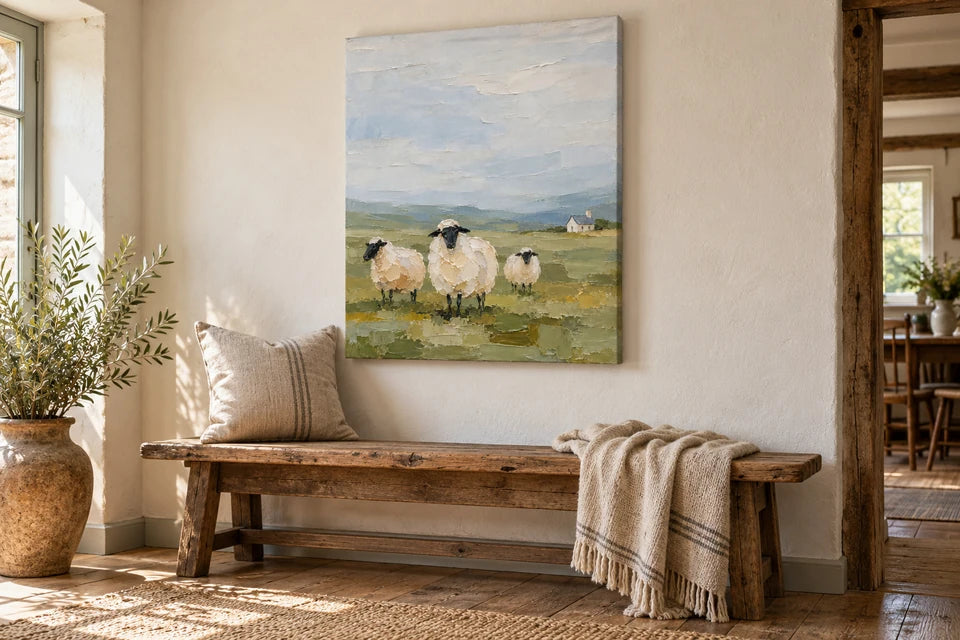
03 / SIMPLE STRETCHED CANVAS
An unframed canvas keeps the sheep and open sky in focus, with the image across the front and a slim stretched edge.
Edit the sheep promptRoom scenes illustrate styling ideas, not customer installations, measured dimensions or product proofs. Keep important details within the front of your canvas and review the available edge treatments in the creator.
FROM IMAGE TO PRINT
A convincing small preview is only the beginning. Check the actual file, the shape of your picture and the size of the print.
THE USEFUL ANSWERS
From getting the painted finish right to choosing a surface for the finished image.
Yes. Begin with written instructions describing your subject, image shape, composition, colours and paint handling. The first prompt here follows that route. Choose and save the result you like, then use your own output as an optional benchmark for companion scenes.
Describe broad paint masses, a few essential dark marks, broken edges, selective palette-knife deposits and quiet areas. Say which details should be suggested rather than drawn. The phrase 'oil painting' alone gives less direction and may lead to much more polished or intricate work.
Ask for fewer, larger marks and simpler silhouettes. Identify the busy part: individual wool curls, feather patterns, cottage masonry or clouds. Keep the subject recognisable while reducing that detail. A clear composition with breathing space often benefits more than another layer of texture.
Keep paint handling, degree of simplification, edge treatment and balance of quiet and textured areas consistent. Repeat your complete visual recipe and compare each output with your benchmark. Subject, viewpoint and colour can change while those decisions remain recognisable.
If the image tool supports a reference, your own approved first picture can help communicate the finish. State that it guides paint handling, not the subject or composition. The companion prompt cards include a words-only option as well; neither route guarantees an exact match.
Yes. Change the mood and colour fields, then deliberately apply those details to rebuild the prompt. Keep the same simple paint language. A warmer sunset or stronger flower accent can belong to the range, but compare the amount of contrast and visual detail with your other pieces.
You can request another shape in the prompt before generating. The composition may need to change as well: give horns more side room, shift a jug or lower the horizon. Cropping a finished portrait into a landscape can remove important parts, so check the result rather than treating shape as a cosmetic change.
No. Image generation involves interpretation, and tools or settings can produce different results from the same wording. Use the examples to understand the choices, then refine your own result. The prompts here are editable starting recipes, not a promise of an identical result.
It is original AI-created digital artwork with an oil-painted appearance. An original physical oil painting contains real pigment applied to a surface by its maker. A canvas or poster here reproduces a digital file. Enjoy the visual effect while describing the finished object accurately.
The image can show highlights and shadows that suggest thick paint, but those are printed colour. Canvas has its own woven fabric texture and paper has its own surface finish. Neither recreates the depicted lumps or ridges as physical oil paint.
There is no single answer for all generated pictures. Actual pixel dimensions, edge quality, crop, subject and viewing distance all matter. Keep the native file, inspect it closely and consider the intended size. Changing dpi metadata or enlarging a small file does not create missing detail; ask for advice before choosing a large print.
Canvas gives the artwork a substantial fabric presence and can be displayed without an outer frame. Matte poster paper is smoother and suits a frame or mount of your own. Compare the subject, shape, wall position and available finishes. YI2C poster prints are supplied unframed.
Check the native file, animal anatomy, repeated shapes, accidental lettering, tonal detail and the crop. On canvas, review the front and edge treatment. In a mounted frame, allow for the visible opening and overlap. Confirm the selected format, size, available upgrades and final price in the creator.
Qualifying physical Canvas and Poster prints use the current offer: the cheapest qualifying base print is free. You can mix eligible formats and sizes. Optional upgrades and applicable delivery supplements remain chargeable. Digital files do not qualify; check the current prices and offer terms before ordering.
YOUR ARTWORK, PROPERLY PRINTED
Save your finished artwork, choose canvas or poster paper, and review the crop and final price in the existing creator. Printed, checked and packed in West Yorkshire.
The current 3 for 2 offer applies to qualifying physical Canvas and Poster base prints. The cheapest qualifying base print is free; upgrades and applicable delivery supplements remain separate. Digital files do not qualify.
Back to all AI Artwork Guides →