3 FOR 2 ON CANVAS PRINTS · FREE EXPRESS DELIVERY

Basket (0) CREATE CANVAS
Menu
← All AI artwork guides

Their world. On their wall.

Children's bedroom wall art, built around them.

Create an illustrated child character, then explore bedroom artwork inspired by their favourite things. Use the approved character as a reference with the editable AI prompts.

Explore the guide ↓
An adventure to make your own
An adventure to make your own · AI-created artwork

Their favourite hobby. The snack they would eat every day. The stories they love, the games they invent and the little things that make them, them.

AI gives you the freedom to bring those details together in artwork made around your child. Start with a few words, explore different styles and develop a picture or matching set that feels personal to their world.

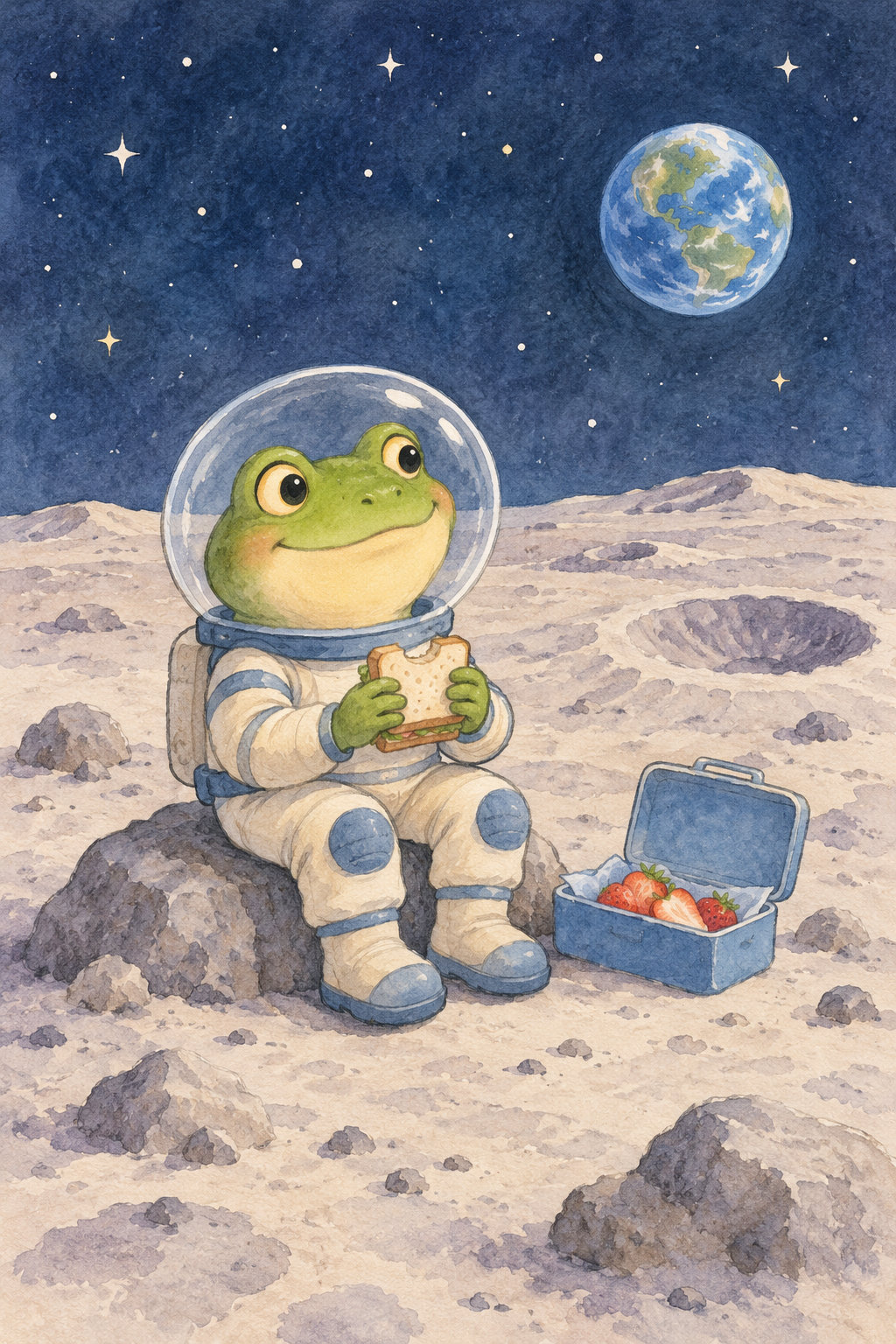
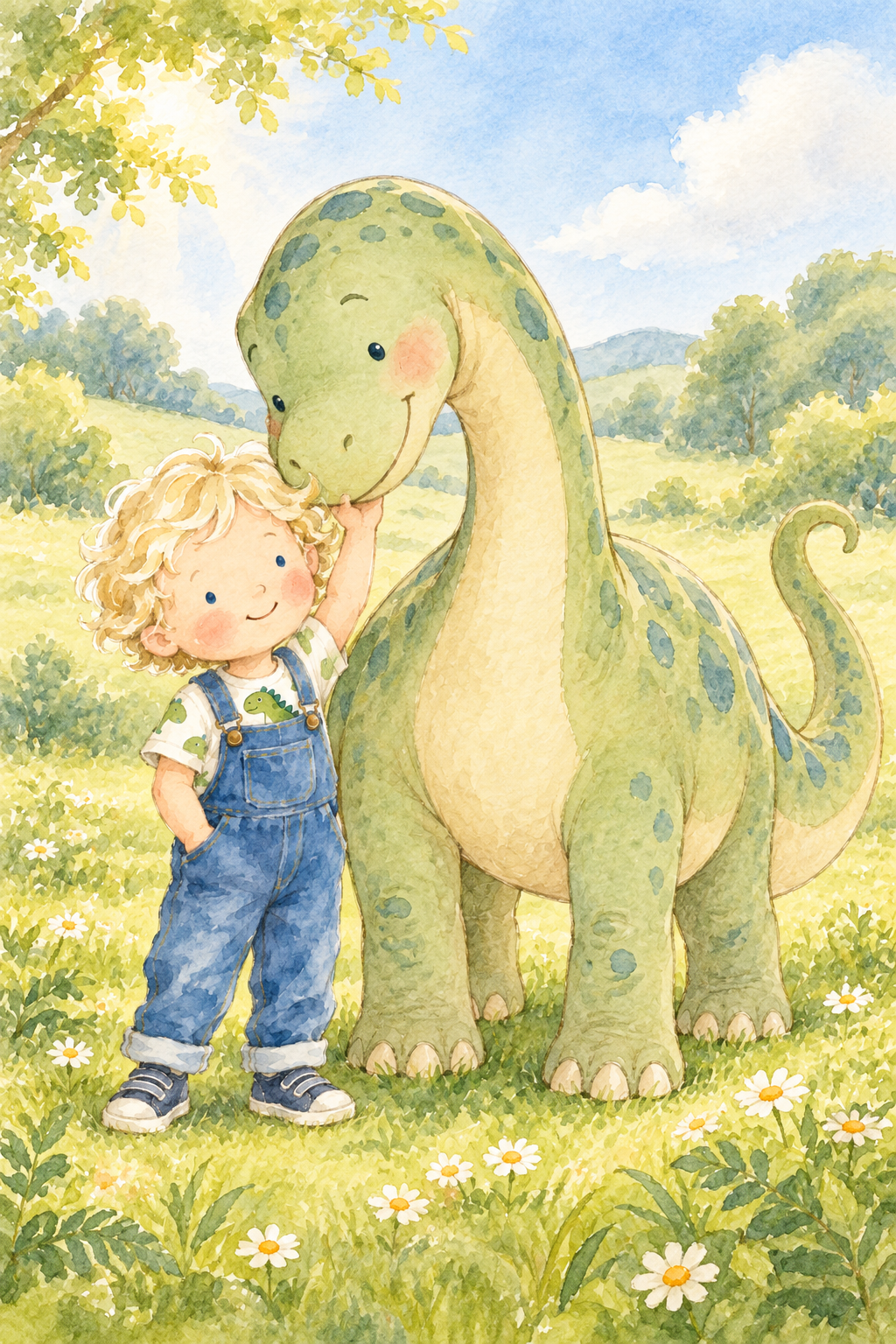
A frog exploring space with a packed lunch of their favourite snacks. A child designing a racing car in colours they chose themselves. Your child beside a gentle dinosaur, or becoming the little wizard in their own story. The examples show what you can imagine; your child's ideas supply the next adventure.

You can describe a child character without uploading a photograph. You can also make artwork entirely around their interests, with no child character at all.

They imagine it. You describe it. We print it.

Use the prompts in your chosen image tool, save the finished files, and decide what you would like to do with them. A picture at home, a bedroom poster or a canvas print can all start with the same idea.

One child, endless adventures

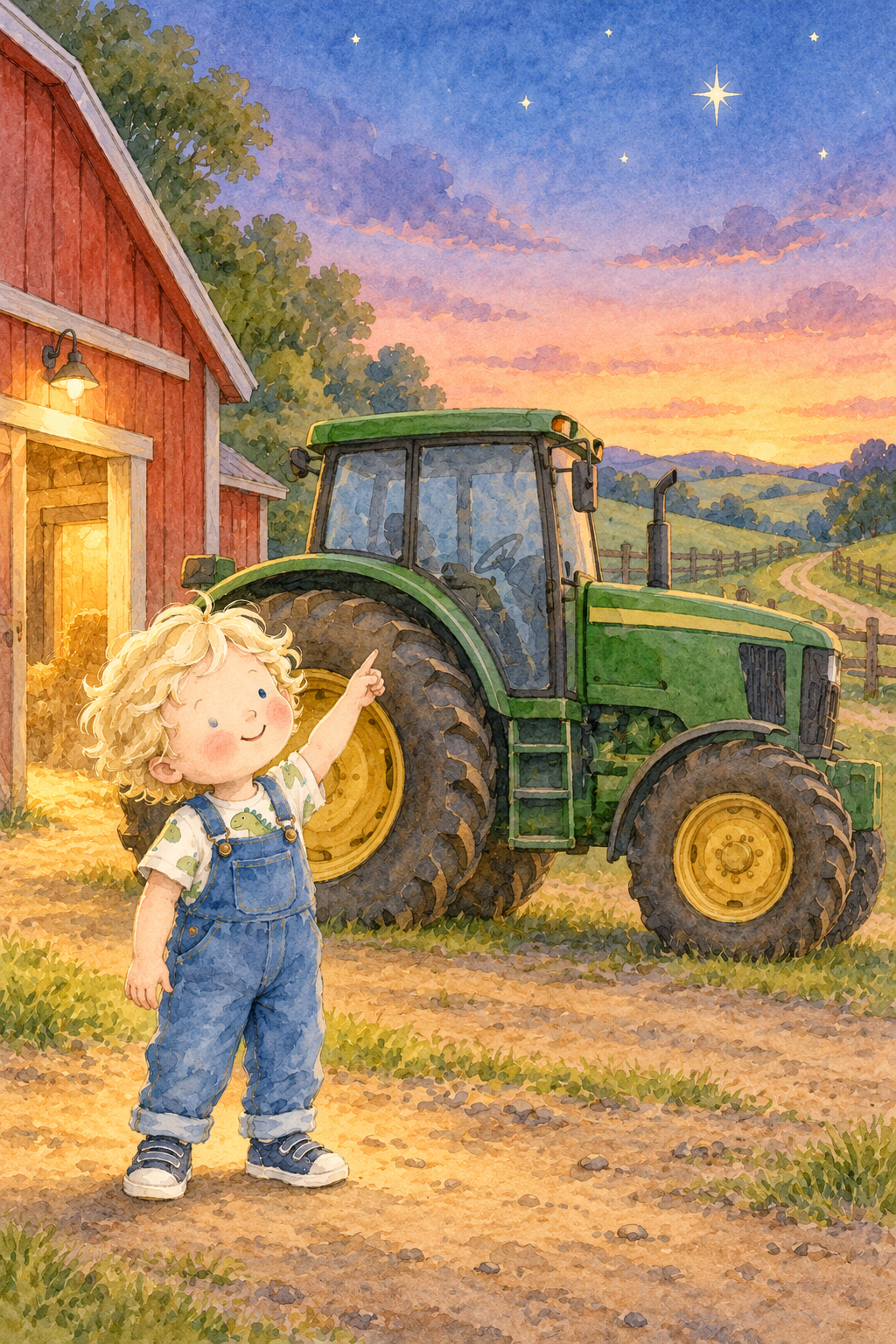
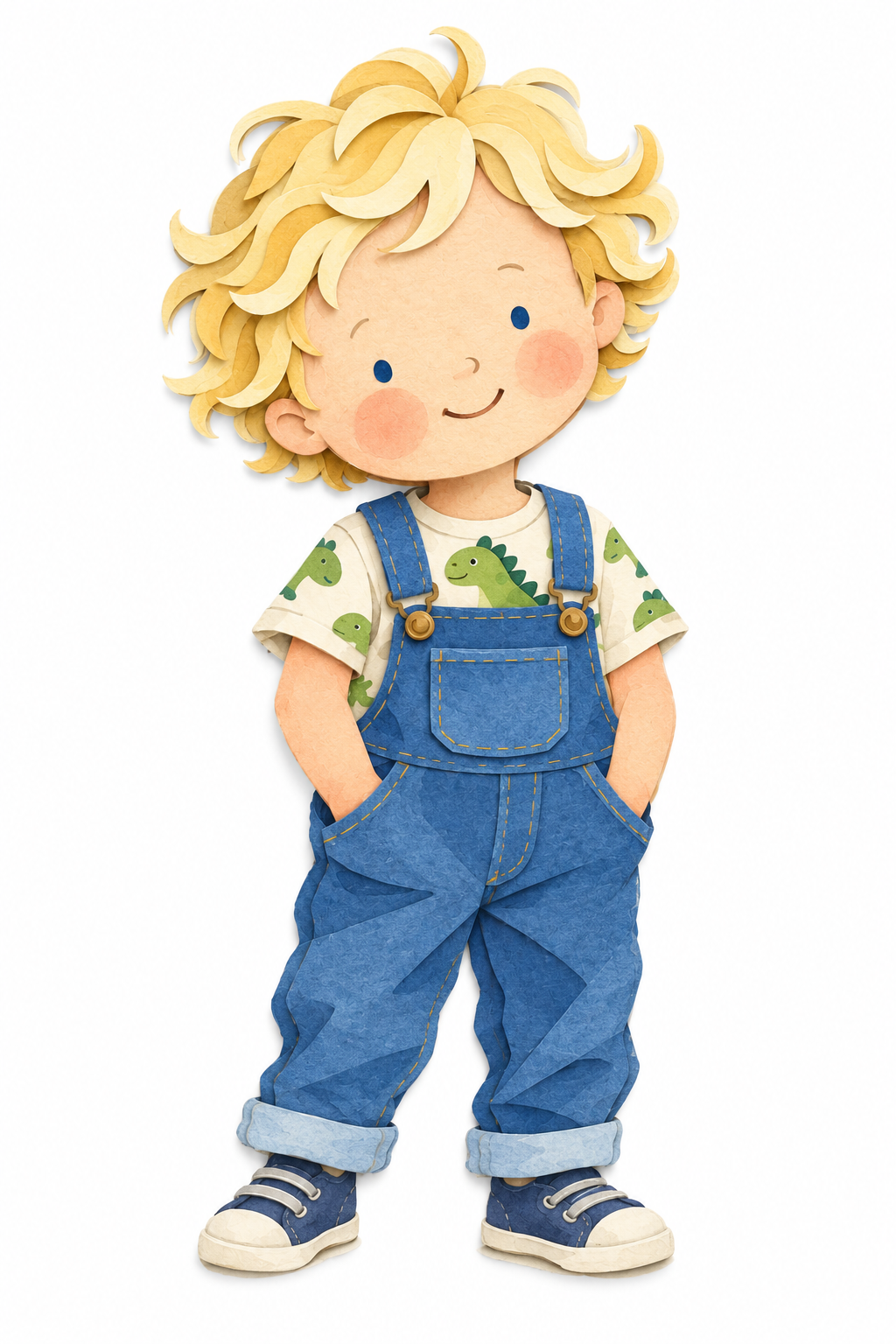
Harry is three, and tractors are his favourite thing. We began with an illustrated character: blonde curls, small blue eyes, dinosaur T-shirt and denim dungarees. Once that character was saved, a new prompt could take him into another adventure.

The same Harry can be a little wizard, a prince or a best friend for a dinosaur. His outfit, pose and surroundings can change while his face, curls and proportions guide the next illustration.

Start by creating and approving the child. Save that image. Attach it whenever you ask for a new scene. Keep returning to your original approved character, so the next adventure has a clear starting point.

Compare the result with your saved character. Check the face, hair, clothes and apparent age before you move on. A reference helps guide continuity; a result can still need a refinement.

Create the child first

Begin with the useful details: age, hair, eyes, skin tone if you choose to describe it, recognisable features and favourite clothes. Exact height is optional. A name is optional too; a picture can feel personal without lettering.

Our girl character is an example created from a written description alone. The paired prompt shows the appearance, clothes and watercolour finish used. Edit those details to fit your own idea, create the character against a simple background, and approve it before adding an adventure.

MAKE IT YOURS

Create the child first

Watercolour illustration of a girl with curly bunches, sage-green dungarees and a yellow T-shirt.
Watercolour illustration of a girl with curly bunches, sage-green dungarees and a yellow T-shirt. · AI-created artwork

Image input
Written character description only; no photo or other image used.

The default prompt was used for the illustrated example. Your edits can produce different results. Edit the fields, then make any final changes in the full prompt. Changing a field rebuilds the full prompt.

Written character description only; no photo or other image used.

Read the original example prompt
Create one original watercolour picture-book character illustration of a six-year-old girl with a curious, confident personality.
Give her warm brown skin, dark brown curly hair gathered into two loose bunches, small simply drawn brown eyes and a cheerful smile. Keep a few soft curls loose around her face.
Dress her in sage-green dungarees over a warm-yellow T-shirt, with cream trainers and small coral details. Keep the clothes simple and comfortable.
Show her standing naturally, with one hand resting on her hip and the other relaxed by her side. Use believable six-year-old proportions, with a softly rounded face and a playful stance.
Use translucent watercolour washes, delicate pencil outlines, soft pigment variations and gentle picture-book simplicity. Let the curls and clothing feel loosely painted and full of character. Keep the eyes small and expressive.
Show her complete body centred on a pure white background in a portrait composition, with generous space around her hair, hands and shoes.
Return one finished character illustration. No racing car, tools, scenery, props, extra characters, lettering, logos, watermark, frame or room mockup. We are establishing the character before creating her adventure.

Give them an adventure

Attach your approved character and describe what they are doing, where they are, and how large the other objects should be. Keep the instructions complete: the image tool should not need an unseen scene or a picture you do not have.

In our workshop example, the girl draws her racing-car design while the imagined teal-and-coral car stands beside her. You can choose the car's colours, a different setting or an entirely different project. Attach the child character you already approved when you use the scene prompt.

MAKE IT YOURS

Design a racing car

Reference illustration
Reference illustration · AI-created artwork
The same illustrated girl drawing her teal and coral racing car in a sunny garden workshop.
The same illustrated girl drawing her teal and coral racing car in a sunny garden workshop. · AI-created artwork

Image input
Attach your own approved child illustration. This example used the girl shown here.

The default prompt was used for the illustrated example. Your edits can produce different results. Edit the fields, then make any final changes in the full prompt. Changing a field rebuilds the full prompt.

Attach your own approved child illustration. This example used the girl shown here.

Read the original example prompt
Use my attached approved child-character illustration as the only image reference.
Create one original portrait-format watercolour picture-book artwork of the same girl designing her own racing car in a bright garden workshop.
Preserve her facial shape, small brown eyes, warm brown skin, dark curly bunches, loose curls and six-year-old proportions. Keep her sage-green dungarees, warm-yellow T-shirt and cream trainers with coral details. Retain the reference’s delicate pencil outlines, translucent watercolour washes and softly painted finish.
Show her standing beside a low wooden workbench, drawing her car design on a large sheet of paper with a pencil. Her other hand rests naturally on the paper. Let us see her face in a gentle three-quarter view, with a pleased, thoughtful expression. The drawing shows a simple recognisable racing-car sketch without words.
Beside her, show the racing car she has imagined: a beautiful original teal-blue car with coral accents, a cream seat and a small steering wheel. Give it a low, elongated body, an open single-seat cockpit and four believable wheels. Make it large enough for her to sit in, with the cockpit rim around her waist height when she stands beside it.
Arrange the car diagonally through the lower part of the scene so its complete nose, rear and wheels fit naturally within the portrait. Preserve its length and leave comfortable space beyond both ends.
Add an open wooden workshop doorway, a simple shelf with two paint pots and softly painted greenery outside. Keep the surroundings airy and uncluttered. Use cheerful daylight, gentle colours and playful picture-book simplicity.
Show the girl’s complete body and shoes. Keep both her face and the car clearly visible, with generous space around the important details.
Return one finished artwork. No extra people, lettering, numbers, branding, logos, watermark, frame or room mockup.

Change the finish, too

A new outfit and a new illustration style offer different kinds of change. A wizard robe changes Harry's role. Layered paper-cut shapes change how the picture looks.

Here, the watercolour Harry becomes a bolder paper-cut-style character. His curls, small eyes, dungarees and dinosaur T-shirt remain recognisable, while crisp paper shapes and overlapping layers give the picture a different finish.

MAKE IT YOURS

Change the visual finish

Reference illustration
Reference illustration · AI-created artwork
Harry reinterpreted in layered paper-cut style, keeping his curls, dungarees and dinosaur T-shirt.
Harry reinterpreted in layered paper-cut style, keeping his curls, dungarees and dinosaur T-shirt. · AI-created artwork

Image input
Attach your own approved child illustration. This example used the original watercolour Harry.

The default prompt was used for the illustrated example. Your edits can produce different results. Edit the fields, then make any final changes in the full prompt. Changing a field rebuilds the full prompt.

Attach your own approved child illustration. This example used the original watercolour Harry.

Read the original example prompt
Use my attached approved child-character illustration as the ONLY image reference. Transform the same child into ONE bold, layered paper-cut-style illustration.
Preserve his recognisable facial shape, small blue eyes, blonde curly-hair silhouette, rosy cheeks, skin tone and three-year-old proportions. Keep the same denim dungarees with bib pocket and buttons, cream dinosaur T-shirt and blue trainers. Retain his warm, cheeky expression and natural stance, including the reference's head tilt and both hands tucked into his dungaree pockets.
Build the illustration from clearly defined shapes that look cut from coloured paper. Use crisp edges, overlapping layers, simple clothing details and subtle shadows between the paper layers. Simplify the curls into playful curved shapes while keeping his distinctive hairstyle. Clearly visible stacked paper shapes and cut edges must establish a genuinely different visual finish from the watercolour reference, while preserving the character's identity. Avoid painted watercolour washes and drawn pencil outlines.
Use strong denim blues, warm blonde yellows, cream and small green dinosaur details. Keep the eyes small and simply drawn. Preserve the child's gentle facial asymmetry and toddler head-to-body proportions.
Show the complete child centred on a PURE WHITE background in a portrait composition, with generous space above his curls and below his shoes. Both shoes and the complete hair silhouette must fit comfortably within the picture.
Return ONE finished portrait-format artwork. No scenery, props, extra characters, lettering, logos, watermark, frame or room mockup.

Mix their favourite things

Ask your child which two things should belong in the same picture. Frogs and space. Dogs and moon buggies. Princesses and racing cars. Their favourite snack on the strangest picnic they can imagine.

Our frog astronaut has taken a sandwich and strawberries to the moon. It is an imagined example, created from words alone. Change the food to your child's favourite snack, choose the suit colours and let them decide where the frog goes next.

MAKE IT YOURS

A frog astronaut and a favourite snack

A friendly frog astronaut holding a sandwich beside a blue lunchbox of strawberries on the moon.
A friendly frog astronaut holding a sandwich beside a blue lunchbox of strawberries on the moon. · AI-created artwork

Image input
Written prompt only; no photo or other image used.

The default prompt was used for the illustrated example. Your edits can produce different results. Edit the fields, then make any final changes in the full prompt. Changing a field rebuilds the full prompt.

Written prompt only; no photo or other image used.

Read the original example prompt
Create one original portrait-format watercolour picture-book artwork of a friendly little frog astronaut enjoying a picnic on the moon.
Give the frog a rounded green face, softly raised eyes with small dark pupils, a warm cream throat and a gentle, pleased smile. Make the character charming and expressive, with simple features and a slightly imperfect, hand-painted feel.
Dress the frog in a small cream spacesuit with dusty-blue details, rounded boots and a clear bubble helmet. Keep its whole face visible through the helmet, with only a delicate outline and minimal reflections. No badges, lettering or branding.
Show the frog sitting comfortably on a low moon rock, holding a small sandwich in both hands. Beside it, place an open blue lunchbox containing a few strawberry halves. Keep the food clearly recognisable and the picnic simple.
Paint the moon in pale warm-grey and lavender washes, with a few rounded rocks and shallow craters. Add a small blue-and-green Earth above the distant horizon and a handful of softly painted stars. Keep the sky a gentle dusky blue, with enough contrast to make the frog stand out.
Use translucent watercolour washes, delicate pencil outlines, soft pigment variations and playful picture-book simplicity. Let the scene feel cosy, curious and quietly funny.
Show the complete frog, helmet, boots and lunchbox comfortably within the portrait, with generous space around the important details. Keep the background uncluttered.
Return one finished artwork. No extra characters, printed words, logos, watermark, frame or room mockup.

More ideas to make your own

  • A dinosaur helping deliver flowers to someone they love.
  • A little gardener growing flowers taller than they are.
  • A young inventor making a machine that plants trees.
  • A reading adventure inside a library built into a tree.
  • A family dog exploring a woodland world.
  • A tractor carrying an unusual delivery chosen by your child.
  • A small astronaut taking a much-loved toy on a moon picnic.
  • A princess designing and testing her own racing car.

Start with what they love about a story or programme: the setting, colours, humour or type of adventure. Use those ingredients to develop original characters and worlds.

Make a matching set

Choose a beginning, middle and ending, or three moments from the same world. Save the character and repeat the illustration style, colours and orientation while changing the scene.

Generate each picture as its own file. Compare them together before printing: the subject, colour balance and scale should feel related. A screenshot of a gallery does not replace the finished image files.

Harry's farm offers one way to tell a story: beside the tractor, helping with a pumpkin delivery and watching the first stars. Choose three moments from the world your child invents.

Turn one illustration into a matching bedroom collection →

See it on the wall

A few favourite adventures can become a little gallery. Print your pictures at a size to suit your chosen frames, then display them together. Matching frames and white mounts give the pictures space to breathe.

Three black frames with white mounts displaying Harry's tractor, pumpkin-delivery and evening-farm illustrations above a wooden cabinet.
AI-created room mockup showing the three farm artworks in black frames with white mounts.

If you use a mount, check its picture opening as well as the frame size, and keep faces and other important details clear of the edges.

Browse picture frames at IKEA

Turn the adventure into an activity

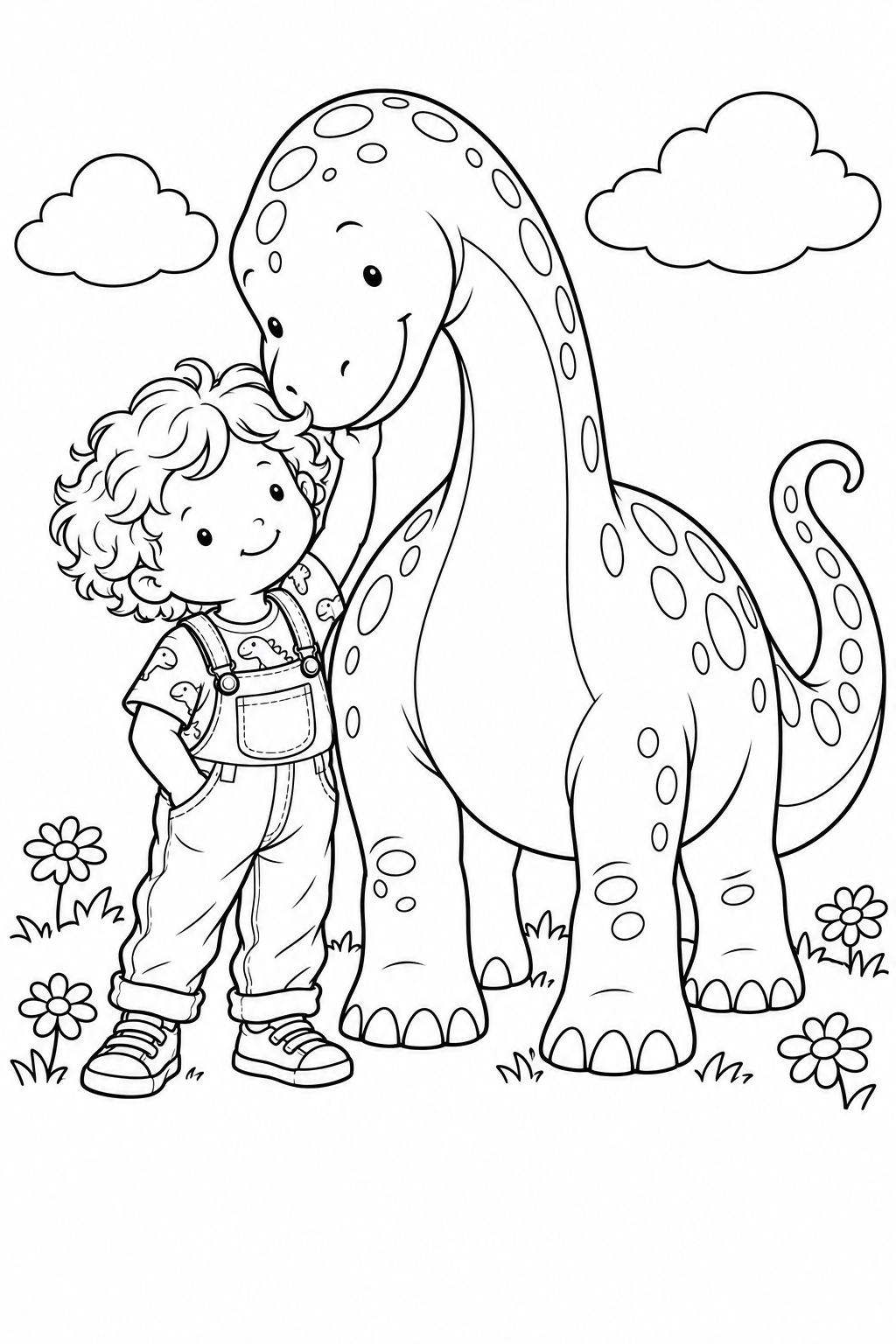
Want them to finish the picture themselves? Turn their character or favourite scene into a personalised colouring page, print it at home and let them choose the colours. Our colouring-page guide shows how to make a simple activity or a gift for someone they love.

Create a colouring activity →

Keep the file you want to print

Download the actual finished image at the best resolution the image tool offers. Review the face, hands, shoes, vehicle wheels and any lettering. Keep important details away from edges if you intend to use a canvas wrap.

Suitable print size depends on the file's pixels, detail and crop. A 300dpi label alone does not add detail. Use the real crop preview when choosing a print.

A matte poster can work well with an existing frame; check its actual image opening. Canvas offers a textured, stretched presentation. If you decide to order, use the existing canvas or poster creator and upload each finished image separately.

Your questions

Do I need a photograph of my child?

No. Describe their appearance, or create artwork around their interests without a child character. A photograph is an optional reference if you want to use it.

Can I choose something other than the examples?

Yes. They are starting points. Choose the interests, clothes, colours, surroundings and little details that fit your child.

How do I keep the same child in different pictures?

Approve and save the character first. Attach that same character to each complete scene prompt, then compare the results and refine any changes.

Can I change the illustration style?

Yes. Describe the new visual finish while keeping the character's defining features. Our watercolour-to-paper-cut example demonstrates that process.

How do I make three pictures match?

Keep the character, colours and medium consistent, generate three separate scenes and compare them side by side before printing.

Does a name have to appear in the artwork?

No. Interests, colours and storytelling can make it personal. If you include lettering or a number, check every character before printing.

Can we use the pictures as colouring activities?

Yes. Save a finished illustration and use the conversion prompt in our colouring guide to make clear outlines for home printing.

Can I print an AI image at any size?

The right size depends on the actual image file, its detail and the crop. Download the original output and review it at the size you intend to print.

If you decide to order

Enjoy the activity at home, frame your original, or upload a finished file when you are ready. Ordering is optional.

Use your chosen image tool separately; it may have its own access requirements or charges.

CANVAS & POSTER PRINTS