
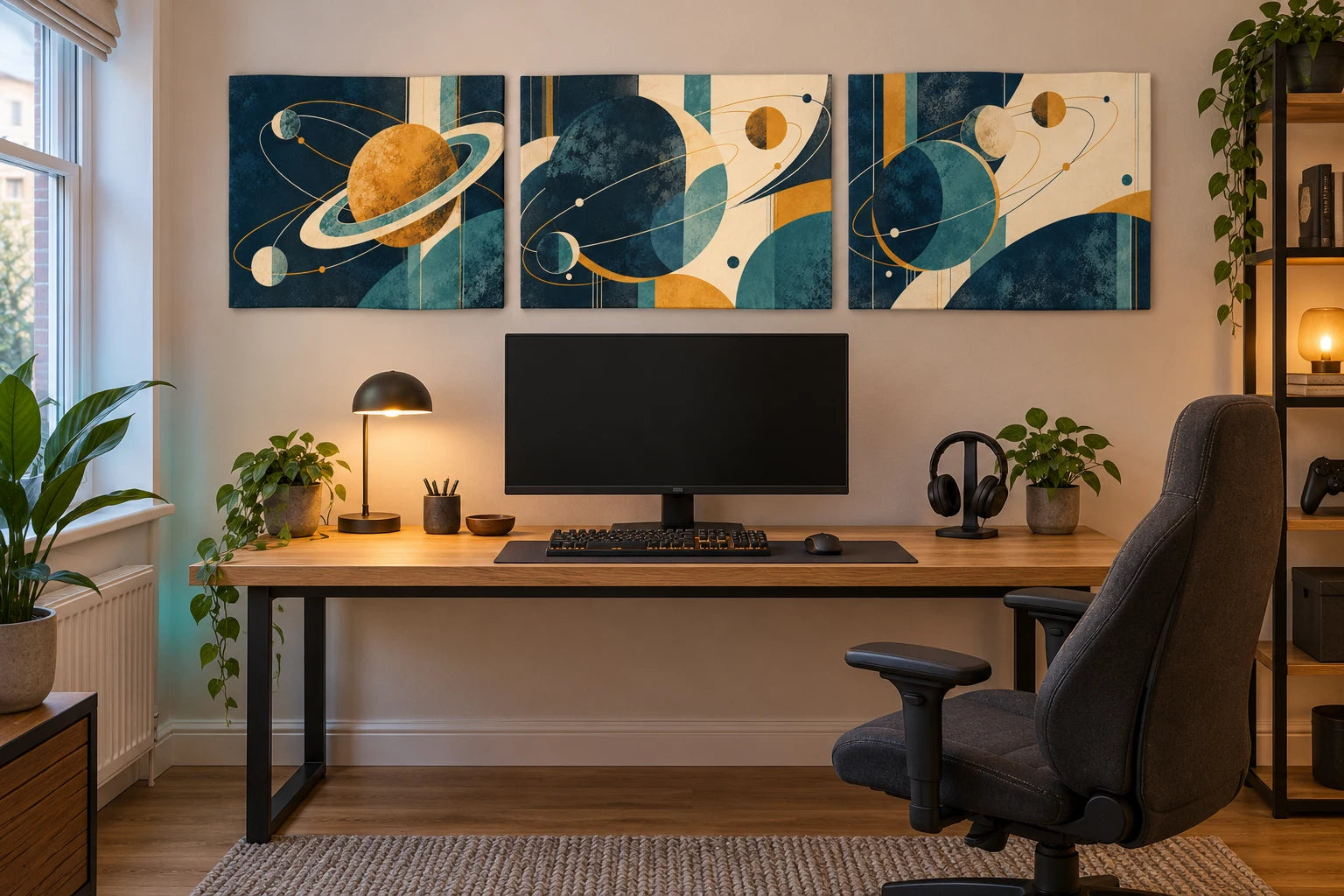
Gaming-room wall art
Art for your setup.
Make graphic space, racing, retro and fantasy artwork for your setup.
MAKE IT YOUR OWN · AI ARTWORK GUIDES
Whether you have a dedicated gaming desk or a shared games room, make the artwork as personal as the setup itself. Choose a theme you enjoy, a palette that works with the room and a composition that fits the space above your desk or on a nearby wall.
Explore space, racing, retro arcade and painted fantasy ideas below. Each has an editable prompt, practical ways to adapt it and advice for turning your final image into a canvas or poster print. You can start with one piece or build a coordinated collection.

These 1536 × 1024 pixel images are AI-created examples and style references, not approved large-format print masters. Use your highest-resolution original and assess it at your chosen print size.
PICTURE IT AT HOME
Bring the set into your gaming space
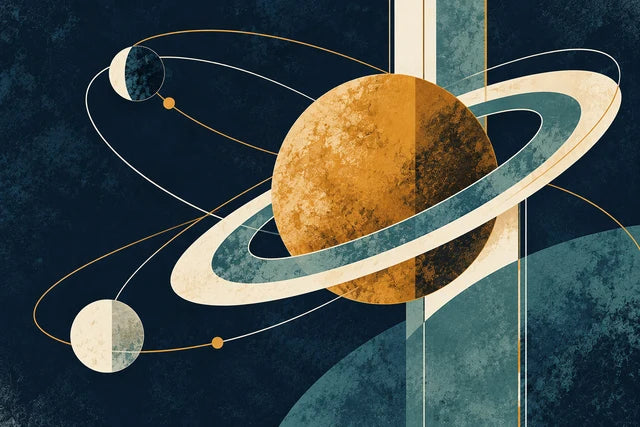
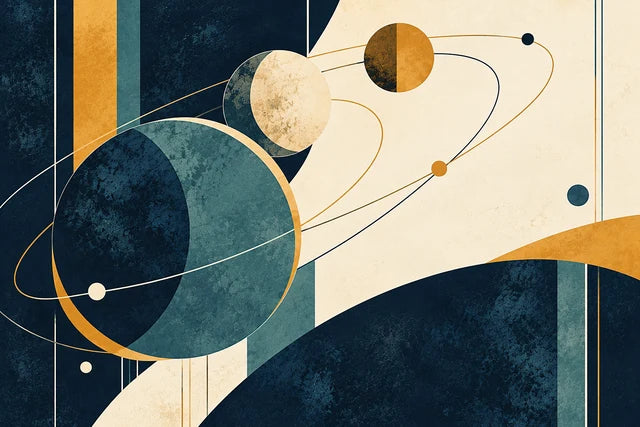
The left companion, original design and right companion share a palette while each keeps its own composition. Compare the standalone artworks below; the room view is a styling illustration, not a print master.

01 / ART FOR YOUR SETUP
Four gaming-room artwork ideas
These are example artworks you can use to understand the prompts and develop a design of your own. Choose the visual style as well as the subject: a graphic print, pixel artwork and painted illustration can feel very different even when they share a theme.
Space-inspired graphic art
Navy, muted teal, cream and ochre give this space design a calm, considered palette. Circular forms and fine orbit lines suggest planets without making the artwork a realistic view of space. It suits a setup where you want a clear theme and a composition that also works as wall art in daylight.
Make it yours: change the palette, the number of celestial forms or the balance of dark and light areas. The shapes are decorative, not an accurate astronomy chart.

Racing-inspired wall art
An illustrated racing coupe, a sweeping road and strong colour contrasts give this example a sense of movement. The navy, cream and warm orange palette carries the energy without depending on intense neon effects. You can choose a restrained graphic treatment, painted illustration or a more detailed design.
Make it yours: describe an invented vehicle, a preferred era, the direction of movement and the colours. Keep the main car and wheel details away from the extreme edges so the crop has room.

Retro arcade pixel artwork
Floating platforms, stepped silhouettes and bright pixel accents suggest an arcade adventure. A controlled palette helps the details stay readable. Quieter sky areas balance the concentrated detail around the platforms so the result feels like a designed print.
Make it yours: choose an original platform world, pixel mountains, a simple explorer or a geometric arcade pattern. Ask for consistent pixel-sized marks and clear edges. Remove scoreboards and interface elements unless you deliberately want to design those separately.

Painted fantasy artwork
An invented citadel, a dragon and a distant traveller create an adventurous focal piece. Visible brushwork and layered colour give this example a painted appearance. The design keeps the dragon readable against the sky and uses softer details further into the distance.
Make it yours: choose a mountain citadel, forest realm, floating island or imagined creature. Describe a painterly illustration if that is the result you want; naming a fantasy subject alone may produce a photographic or glossy rendered scene.
02 / ART FOR YOUR SETUP
Start with your room, then choose the artwork
Measure the clear wall space and look at it from the doorway, the chair and any other place you usually see it. Check what your monitors, desk shelves and lighting will obscure. A design that looks balanced in an image preview may sit too low behind the equipment in the real room.
Decide whether you want one focal print or a set. A wide artwork can sit comfortably over a broad desk; two smaller pieces may work better on a narrower or interrupted wall. Use a paper outline or masking-tape outline at the proposed outside dimensions to judge the size before ordering.
Take account of cable routes, shelves and access to the setup when choosing a position. For framed posters, measure the complete frame. For an unframed canvas, use the selected outside front dimensions. A room mock-up can help with mood, but it does not replace measurements.
03 / ART FOR YOUR SETUP
Build an editable gaming-art prompt
Describe both the idea and how it should be drawn. The style gives the generator more direction than a short phrase such as “gaming artwork”.
| Choice | What to decide | Example |
|---|---|---|
| Theme | The subject or imagined world | Invented planets and orbital shapes |
| Style | How the artwork should look | Textured graphic illustration with broad shapes |
| Palette | Main colours and one accent | Navy, muted teal, cream and ochre |
| Layout | Where the focal subject sits | Slightly right of centre with quieter space on the left |
| Format | The shape you intend to print | Landscape 3:2, artwork only |
| Detail | What must remain clear | Differentiated dark tones and the full focal subject inside the edges |
Choose a theme, style and palette, then copy the prompt into an AI image tool you use. The builder helps with wording; image generation happens in your chosen tool.
Use an original imagined scene or subject. If you want to include a specific character, logo or reference image, use material you have permission to reproduce and check the relevant image tool's terms.
04 / ART FOR YOUR SETUP
Create and refine the design
1. Choose a theme and a visual style
Start with one example. Decide whether the result should be graphic, pixel-based, painted or cinematic. Include that choice near the start of the prompt. “Original painted fantasy illustration” gives a different direction from “cinematic fantasy scene”.
2. Keep the palette manageable
Use a few colours that work with the room. A navy-and-cream design can complement a dark setup without losing all its detail at night. A brighter pixel print may work well as the strongest accent on an otherwise quiet wall. Compare the design with the room under normal lighting as well as your coloured lighting.
3. Generate artwork alone
Ask for the complete design to fill the image without a frame, border or room scene. Keep the important subject comfortably within the edges. This gives you a more useful source file for printing than an image of artwork already hanging in an invented room.
4. Check the whole image and the fine detail
At a small size, check the silhouette and balance. Then zoom in to inspect wheels, anatomy, castle structures, pixel edges and any fine lines. Remove unintended lettering and check that the background is not full of distracting repeated marks. A more detailed image is useful only when the detail holds together.
5. Refine one choice at a time
Save a version you like before editing it. Ask for a change in palette, contrast, composition or style while keeping the rest. If the result is too photographic, ask for a designed illustration with visible marks or broader shapes. If it is too dark, ask for clearer mid-tones while retaining the mood.
6. Download and keep the original
Save the highest-resolution file available from your tool, together with the prompt. Keep a clean version without text if you may want to add a name later. Save the original separately from cropped or edited versions so you can return to it.
05 / ART FOR YOUR SETUP
Refinement prompts you can copy
Use the existing artwork as a reference when your tool supports that option.
Make it more illustrative
Attach the artwork you want to refine in your image tool.
Keep dark artwork readable
Attach the artwork you want to refine in your image tool.
Make room for a canvas crop
Attach the artwork you want to refine in your image tool.
Match a different room palette
Attach the artwork you want to refine in your image tool.
06 / ART FOR YOUR SETUP
Create a matching gaming-room set
Three related designs can feel more coherent than three unrelated images. Keep the palette, line weight or brushwork, contrast and image proportions consistent. Give each piece a different focal subject or arrangement.
Our space set uses the first orbital design, a ringed-planet companion and a different arrangement of celestial circles. They share the same navy, teal, cream and ochre palette and printed texture. Each is a complete separate artwork, created using the first image as a visual reference.


Three separate space designs sharing a palette and graphic style.
Attach your first artwork or the indicated example as the style reference in your image tool. Open the first artwork to save as your reference.
Attach your first artwork or the indicated example as the style reference in your image tool. Open the first artwork to save as your reference.
You can also combine different interests. For example, make a space print, a racing print and a geometric arcade design using the same limited palette and graphic technique. Review them together: one should not look unexpectedly more detailed, brighter or darker than the others.
Plan the width of the set
Add every outside width and each gap. Three landscape A4 canvas fronts, each 29.7 cm wide, with two 5 cm gaps take 99.1 cm in total. For a different arrangement, use your chosen dimensions and gaps. Framed posters take more wall space than the paper alone; use the assembled frame measurements.
07 / ART FOR YOUR SETUP
Check the artwork in daylight and coloured lighting
A gaming-room print should work when the screen and LED lighting are switched off too. Check whether the main subject remains clear in ordinary daylight and whether the palette still suits the room.
A screen emits light; a print reflects the light falling on it. Bright cyan, neon pink and glowing effects can be represented as printed colours, but the print itself does not emit light. Coloured LEDs may make some colours appear stronger and others duller. Very dark designs can lose important detail in a dim room.
Avoid increasing saturation and brightness until the image looks impressive only on a luminous screen. Keep distinct mid-tones and some clear contrast around the focal subject. If the artwork contains a glow effect, it should still have a readable shape when viewed as a print.
08 / ART FOR YOUR SETUP
Canvas or poster above your gaming desk?
| Format | Why you might choose it | What to measure and preview |
|---|---|---|
| Stretched canvas | A woven surface and stretched edge with no separate frame required | Outside front width and height, depth, crop and side treatment |
| Poster print | Smooth matt paper with the freedom to choose your own frame and mount | Full paper size, internal frame fit, mount opening and outside framed size |
YI2C canvas prints use poly-cotton canvas stretched over solid pine. Poster prints use 230gsm matt paper and are supplied unframed. The creator shows the finishes, sizes and options available for your selected print. [1] [2]
Canvas depth is a separate measurement from the artwork's width and height. A thicker stretched canvas projects further from the wall; it does not make the picture taller or wider. An optional floating frame increases the total outside dimensions. A poster mount can cover a little of the artwork, so keep important details clear of its opening.
If a generated image shows brushwork, that paint appearance is printed into the image. A canvas has woven texture, but it does not add thick physical paint to the artwork.
09 / ART FOR YOUR SETUP
Prepare the image for printing
Use the real download
Download the highest-resolution original available. A screenshot or image saved from a messaging preview may contain fewer pixels or extra compression. Check the actual pixel width and height instead of relying on a filename that says “HD” or a DPI label.
Changing a file's DPI value alone does not create new picture detail. Resampling changes the number of pixels; it also changes the image, so inspect the result. Adobe's guide explains the distinction between print resolution and resampling. [3]
Inspect detail at your chosen size
Check thin orbital lines, pixel edges, wheel geometry and painted fantasy details. An image that looks crisp on a phone can look softer on a much larger print. Upscaling can change or invent small features, so compare the enlarged result with the original.
There is no single pixel count that guarantees every artwork will work at every size. The source image, crop, finish and viewing distance matter. If you are unsure, send us the original file and the dimensions you are considering.
Match the shape before ordering
The examples use landscape 3:2 proportions. A-series prints use a different ratio: A3 landscape is 42 × 29.7 cm. A 3:2 image needs some cropping to fill that shape. You can choose compatible custom dimensions within the creator's supported range, develop a new composition for the target shape or preview a deliberate crop.
Do not stretch the image to fit. Distortion is especially noticeable in circles, wheels, characters and stepped pixel shapes. Ask your image tool to recompose for portrait or square if you want those formats.
Check the canvas sides
Gallery wrap takes part of the artwork around the edge. Mirror sides or a suitable plain side treatment may keep more of the front image visible, where offered. Check the creator's preview, especially if a planet, dragon wing or car sits close to the boundary. Keep essential details clear of the sides and any poster mount.
10 / ART FOR YOUR SETUP
Plan the whole cost of your wall art
Compare the print, any AI tool charges and the presentation you want. A poster is supplied unframed, so add the cost of a frame and mount if you want them. Canvas upgrades and hanging options are separate choices in the creator.
At the prices checked on 11 October 2026, an A3 canvas is £27.99 and an A3 poster is £11.99. Under the current 3 for 2 offer, three equal-priced A3 canvases have a base total of £55.98 and three equal-priced A3 posters have a base total of £23.98. These examples include VAT and standard UK delivery for those sizes; optional upgrades are extra and posters are unframed. Check the live prices and creator total before ordering. [4]
Choose the size that fits your wall and file. A smaller well-composed print can look more considered than a large design with soft details or a compromised crop.
11 / ART FOR YOUR SETUP
Optional: try a cinematic space scene
If you prefer a scene with a recognisable figure and a sense of scale, the astronaut example offers another direction. It uses a lone explorer and a large blue planet in a detailed landscape. Compare it with the graphic space artwork and choose the approach you prefer before refining your prompt.

A cinematic scene, shown as a different approach to space artwork.
12 / ART FOR YOUR SETUP
Questions about AI gaming-room wall art
What artwork works in a gaming room?
Start with a theme you enjoy and a palette that works with the space. Space, racing, arcade and fantasy can all be graphic, painted or more detailed. Judge the composition as wall art as well as a reference to your interests.
Can I make artwork to match my setup's colours?
Yes. Name a small palette and specify which colour should dominate. You can provide a reference image you can use and ask the tool to borrow its colours. Check the final image under normal lighting as well as your LED settings.
Do gaming prints have to be dark or neon?
No. Cream, muted teal, ochre and warmer neutrals can work well with a gaming theme. Choose brighter or darker artwork because it suits your room and taste. Keep essential details readable in the lighting you use.
Will a printed glow effect actually glow?
It is a printed colour effect. The canvas or poster does not emit light. How bright it appears depends on the colours, contrast and light falling on the print.
How do I make the result look like artwork instead of a rendered scene?
Specify the treatment early: graphic illustration, screen-print texture, visible painted brushwork or consistent pixel art. Describe shapes and mark-making, and ask for photographic lighting and glossy 3D effects to be reduced.
Can I make a matching pair or trio?
Yes. Use the first image as a style reference, keep the palette and proportions, and ask for a distinct new composition for each companion. Review the set together before you choose the final files.
What size should I choose above a gaming desk?
Measure the clear wall and check what the monitors and shelves will hide. Mark out the proposed outside dimensions and view them from normal positions in the room. For a set, include all the gaps; for framed posters, use the complete frame dimensions.
Is canvas better than a poster for gaming artwork?
Both can work. Canvas gives you a woven surface and stretched edge. A poster gives you smooth matt paper and your choice of frame. Compare the appearance, total cost and wall space rather than choosing by theme alone.
Can I add my name or gamer tag?
Yes, but check every character. Image tools can create incorrect or distorted lettering. A useful approach is to make the artwork without text, then add the name separately in a design tool where you can control the spelling, type and position.
Can I use a screenshot from a game instead?
A screenshot may include interface elements and may have too few pixels for your intended print. Check that you have permission to reproduce it and inspect the original file. The prompts here are designed to help you create an imagined design of your own.
Can I print a square or portrait version?
Yes, within the creator's supported sizes. Generate or recompose the artwork for that shape, then preview the crop. Avoid stretching a landscape image into a square or portrait format.
Will the example prompt reproduce the exact image shown?
It is a starting point, not a guarantee of an identical result. Image tools interpret prompts differently. Save the version you like and use it as a reference for later edits when the tool supports that option.
Can this make a gift for a gamer?
Yes. Choose a theme and palette that suit them, and consider whether they have room for one piece or a set. If you add a name, check the spelling carefully. Confirm the file quality, size and print format before ordering.
13 / ART FOR YOUR SETUP
Make something that belongs in your room
Choose a prompt, develop the artwork and save the original file. Then select a canvas or poster, check the dimensions and preview the crop. If you need help with the file or a set, send us the artwork and the measurements you have in mind.
 Create your own abstract art for canvas →